Operating the monitor │ 59
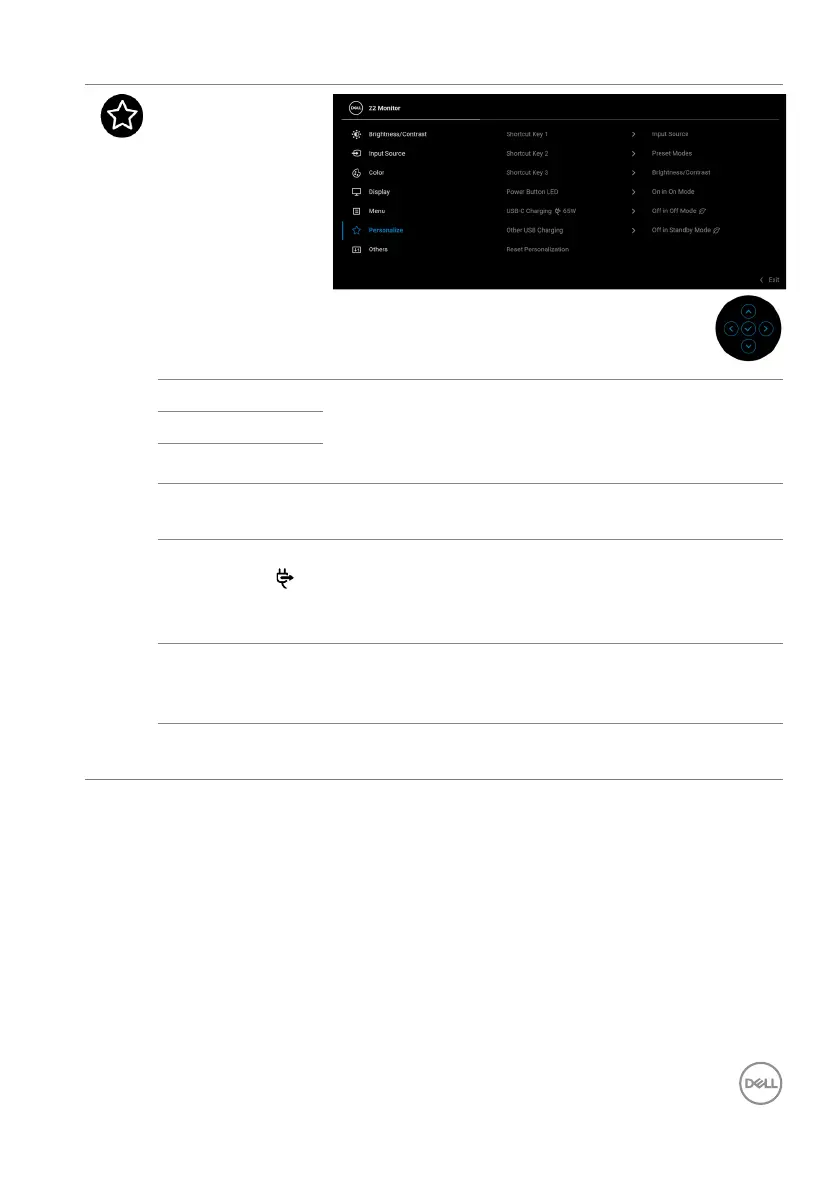
Personalize
Shortcut Key 1 Allows you to choose a feature from Preset Modes,
Brightness/Contrast, Input Source, Aspect
Ratio, Rotation, or Display Info and set it as a
shortcut key.
Shortcut Key 2
Shortcut Key 3
Power Button
LED
Allows you to set the power LED indicator on or off
t
o save energy.
USB-C
Ch
arging
65W
The default setting is O
ff in Off Mode. Selecting
On in Off Mode may automatically charge your
notebook or mobile devices through the USB Type-C
cable even when the monitor is in off mode.
Other USB
Char
ging
Allows you to enable or disable USB Type-A
(Downstream Ports) charging function during
monitor standby mode.
Reset
Pe
rsonalization
Resets all settings under the Personalize menu to
the factory preset values.


 To Next Page