Operating the Monitor | 39
Transparency
Select this option to change the menu transparency by pressing the
and buttons (min. 0 / max. 100).
Timer
OSD Hold Time: sets the length of time the OSD will remain active
after the last time you pressed a button.
Use or to adjust the slider in 1 second increments, from 5
to 60 seconds.
Lock
Controls user access to adjustments. When Lock is selected, no user
adjustments are allowed. All buttons are locked.
NOTE:
Unlock function– Only hard unlock (press and hold the button above
the power button for 10 seconds).
Lock function – Either soft lock (through the OSD menu) or hard lock
(press and hold the button above the power button for 10 seconds).
Reset Menu
Settings
Reset all OSD settings to the factory preset values.
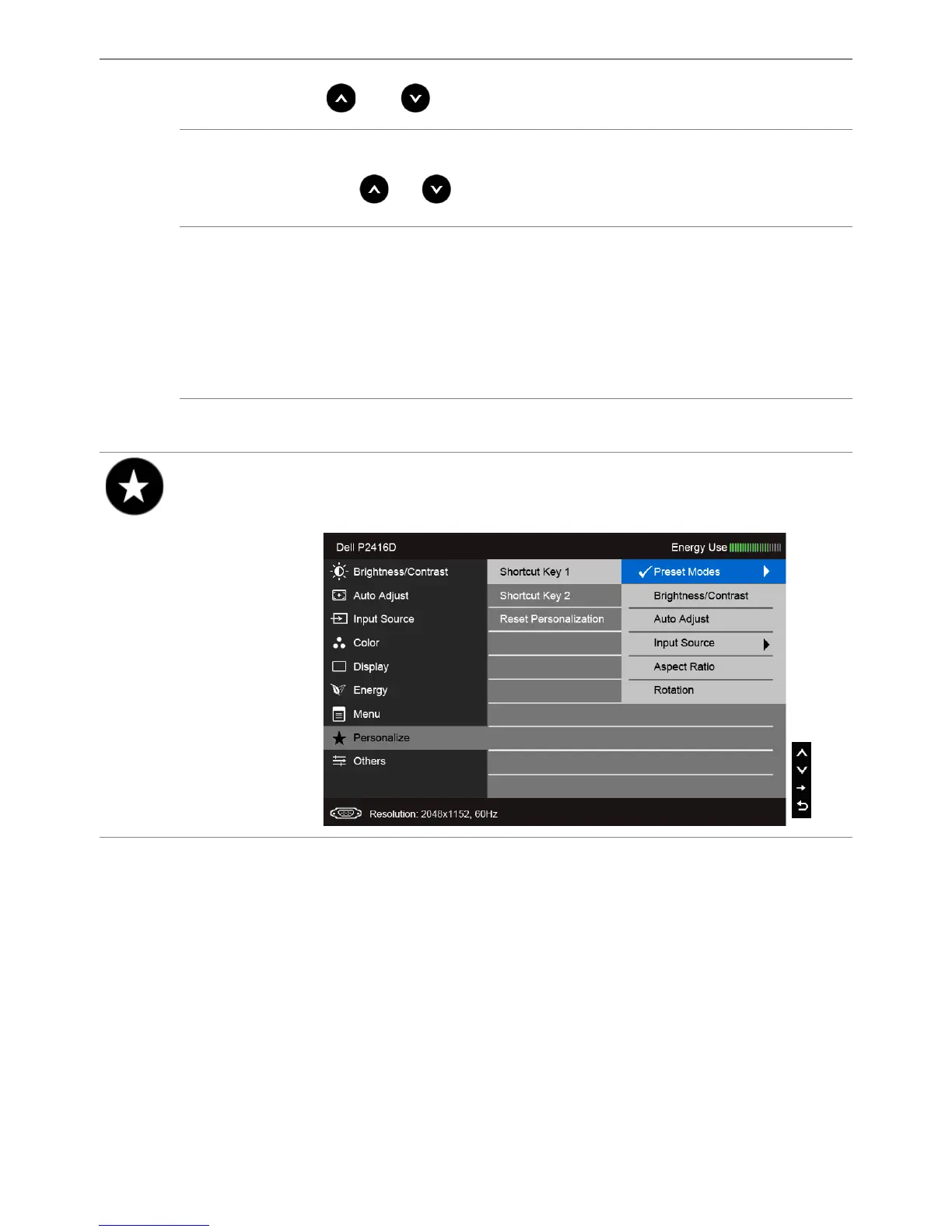
Personalize
Users can choose a feature from Preset Modes, Brightness/Contrast,
Auto Adjust, Input Source, Aspect Ratio, or Rotation and set it as a
shortcut key.



 To Next Page