40 | Operating the Monitor
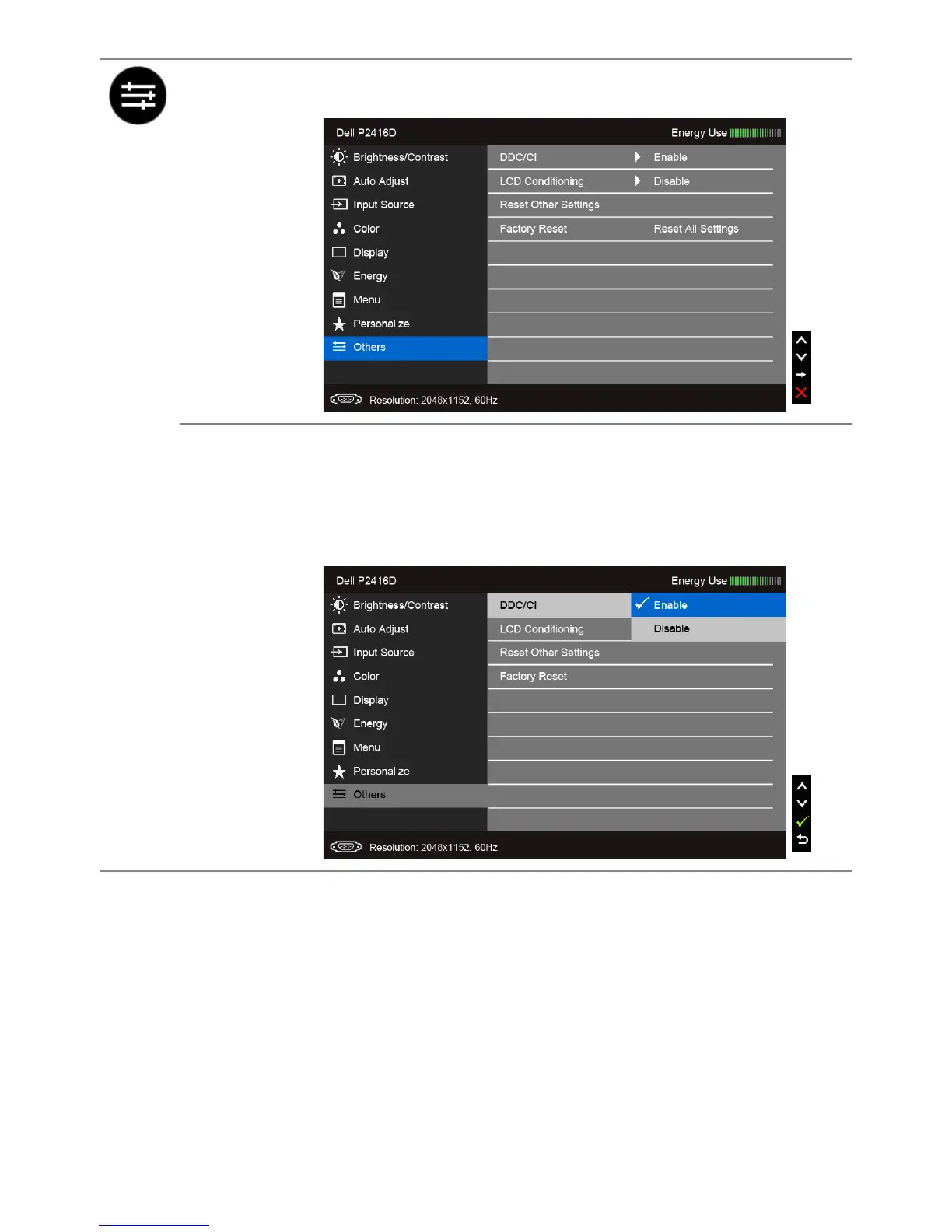
Others
Select this option to adjust the OSD settings, such as the DDC/CI, LCD
Conditioning, and so on.
DDC/CI
DDC/CI (Display Data Channel/Command Interface) allows your
monitor parameters (brightness, color balance, and etc.) to be
adjustable via the software on your computer.
You can disable this feature by selecting Disable.
Enable this feature for best user experience and optimum
performance of your monitor.


 To Next Page