46 | Operating the Monitor
Icon Menu and
Submenus
Description
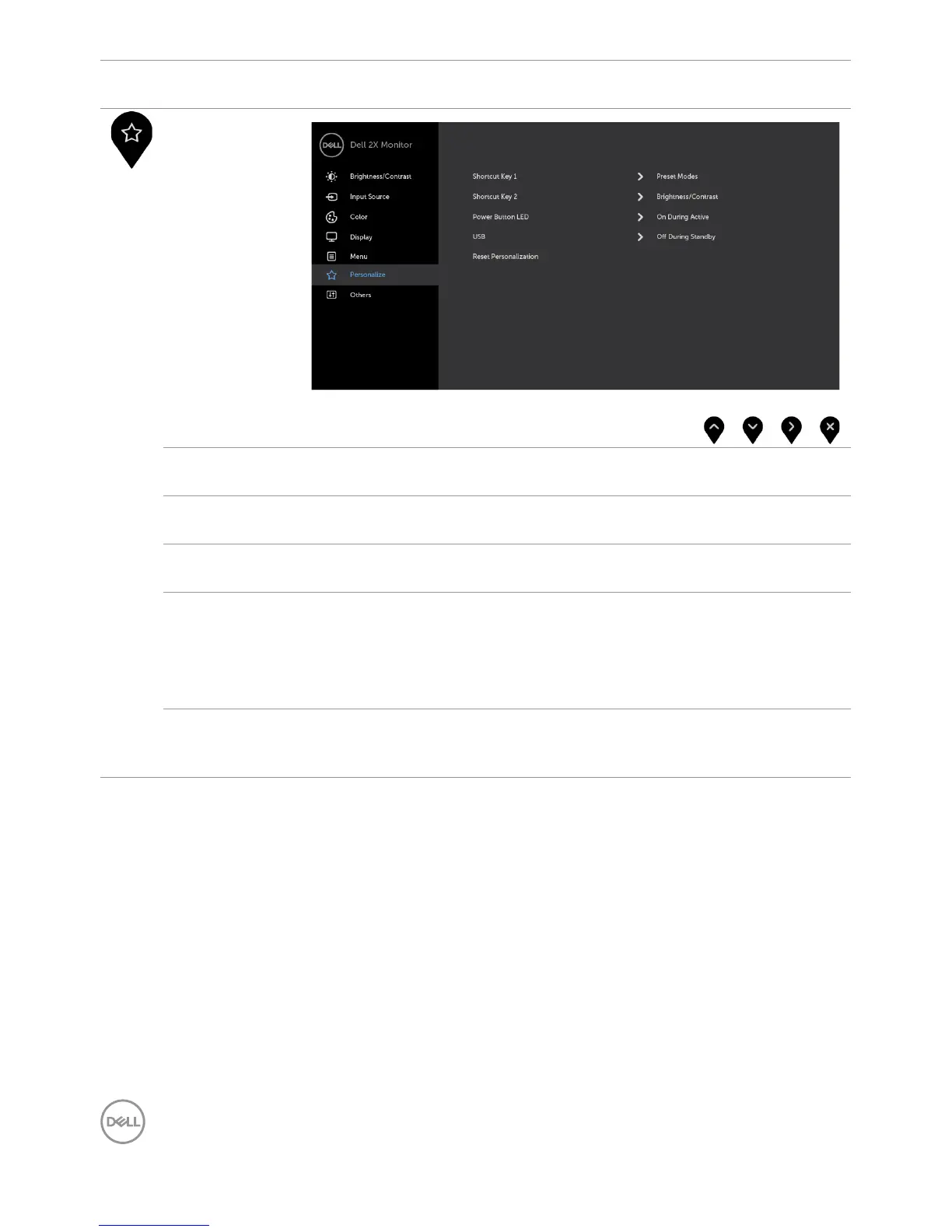
Personalize
Shortcut
key 1
Select from Preset Modes, Brightness/Contrast, Input
Source, Aspect Ratio, Rotation set as shortcut key 1.
Shortcut
key 2
Select from Preset Modes, Brightness/Contrast, Input
Source, Aspect Ratio, Rotation set as shortcut key 2.
Power Button
LED
Allows you to set the state of the power light to save energy.
USB Allows you to enable or disable USB charger function during
monitor standby mode.
NOTE: USB ON/OFF under standby mode is only available when
the USB Type-C cable is unplugged. This option will be greyed
out when the USB Type-C cable plugs in.
Reset
Persona-
lization
Restores Shortcut Keys and Power Button LED to factory
defaults.


 To Next Page