Setting up the monitor │ 41
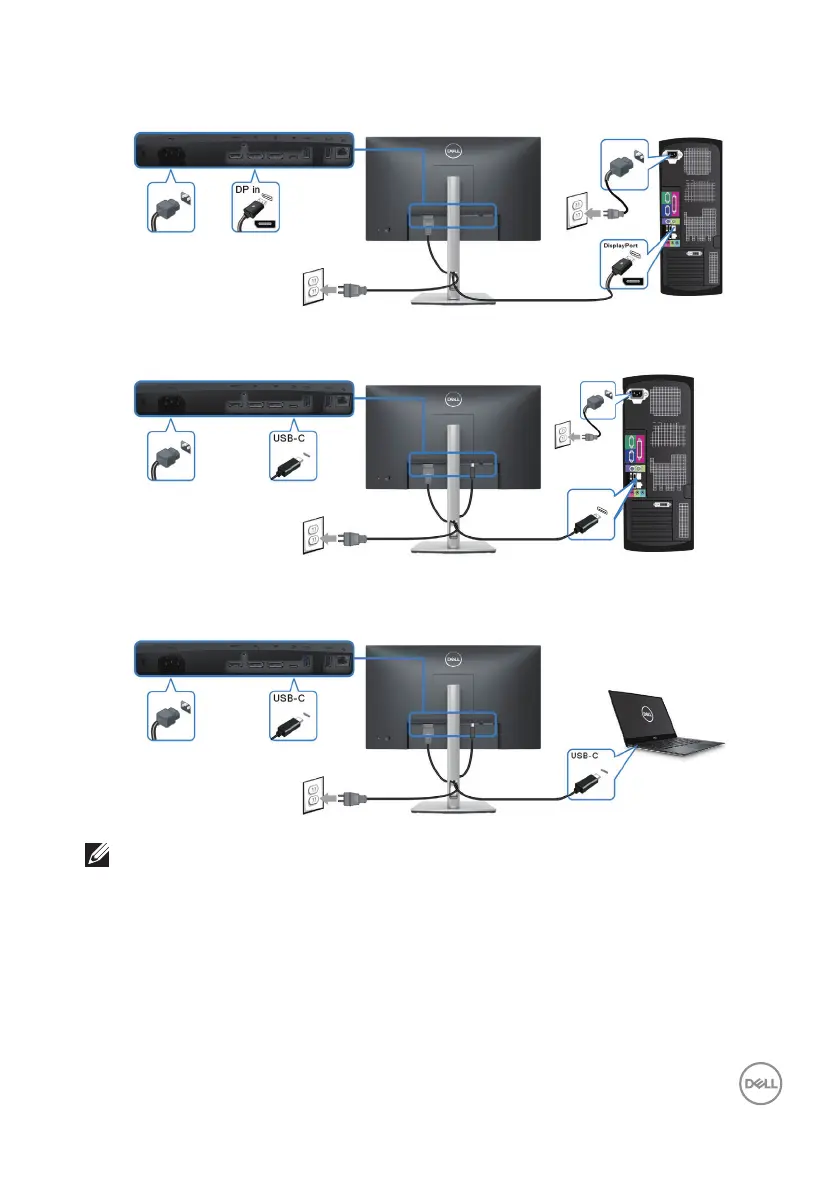
Connecting the DisplayPort (DisplayPort to DisplayPort) cable
Connecting the USB-C (C-A) cable
USB-A
Connecting the USB-C (C-C) cable
NOTE: Use the USB-C (C-C) cable shipped with monitor only.
• This port supports DisplayPort Alternate Mode (DP1.4 standard only).
• The USB-C power delivery compliant port (PD Version 3.0) delivers up to 90 W
of power.
• If your notebook requires more than 90 W to operate and the battery is drained, it
may not be powered up or charged with the USB PD port of this monitor.



 To Next Page