Setting up the monitor │ 37
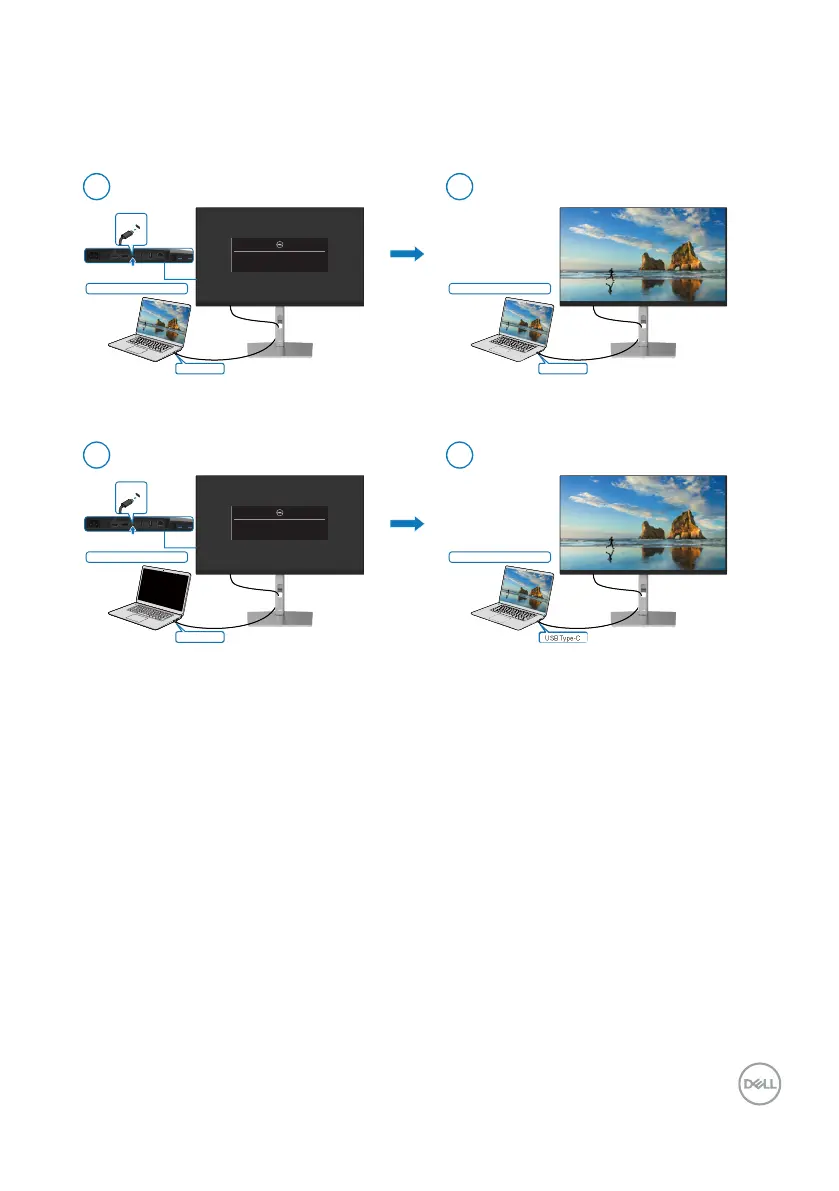
Using DPBS function
Waking on the USB-C cable
When you connect the USB-C cable, the Monitor/PC state is as follows:
USB Type-C
USB Type-C
Initial system power state (ON)
Initial monitor power state (ON or Standby)
Initial monitor power state (ON or Standby)
New Power state of monitor (ON)
Connect USB-C cable
Connect USB-C cable
1
2
USB Type-C
USB Type-C
Initial system power state (OFF)
New Power state of monitor (ON)
*Not all Dell PC systems support to wake up
the platform via the monitor.
1
2
New Power state of system (ON)*
USB Type-C
New Power state of system (ON)
USB Type-C
o U
B-
able
The display will go into
tandby mode in 4 minutes.
www.dell.com/P
7
3
E
B-
l
The display will
o into Standby mode in 4 minutes.
www.dell.com/P2723QE



 To Next Page