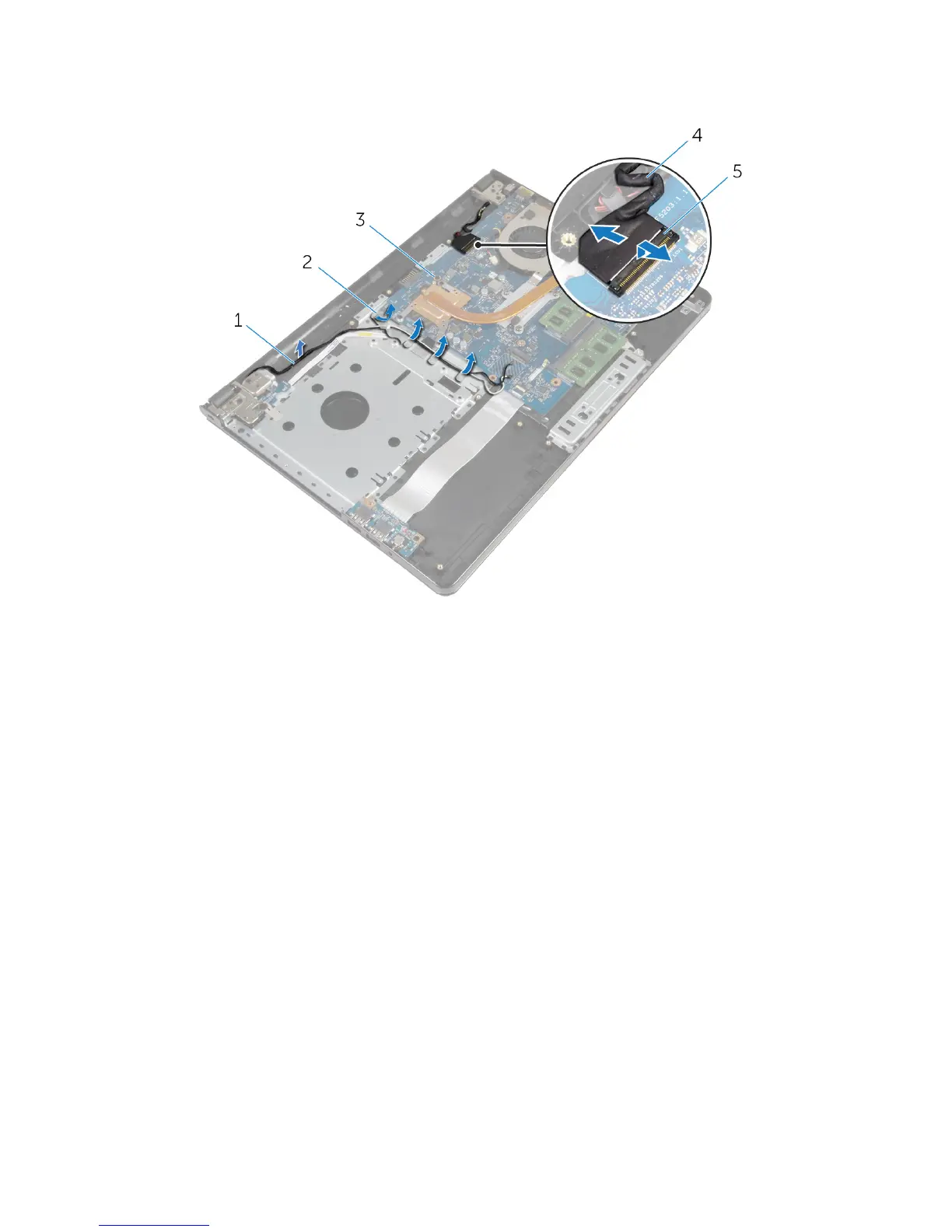
3 Note the display cable routing and remove the cable from its routing
guides.
1 antenna cables 2 routing guides
3 system board 4 display cable
5 latch
4 Turn the computer over.
5 Open the display at an angle of 90 degrees.
6 Place the computer on the edge of the table so that the palm-rest
assembly is on the table and the display assembly extends past the table
edge with the display hinges facing up.
7 Remove the screws that secure the display hinges to the palm-rest
assembly.
72



 To Next Page