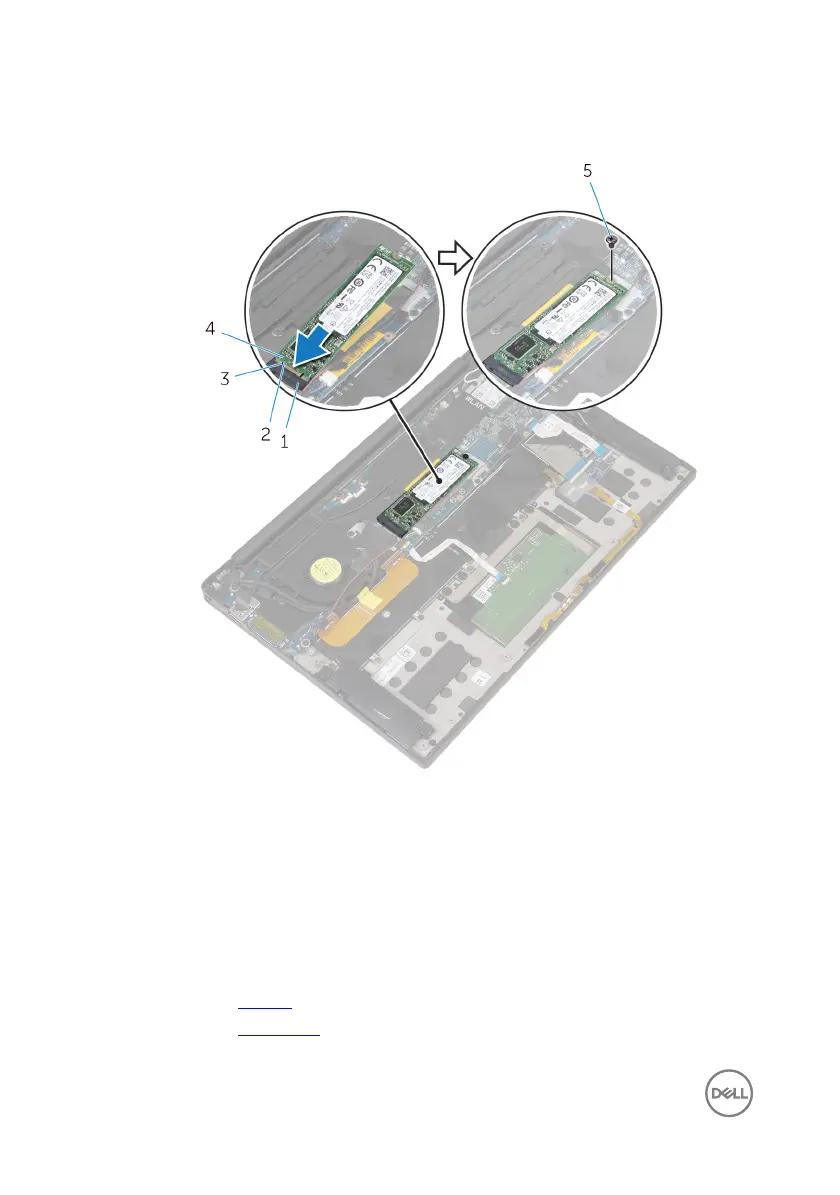
3 Press the other end of the solid-state drive down and replace the screw (M2x2)
that secures the solid-state drive to the system board.
Figure 6. Replacing the solid-state drive
1
solid-state drive slot 2 tab
3 notch 4 solid-state drive
5 screw
Post-requisites
1 Replace the battery.
2 Replace the base cover.
26



 To Next Page