Procedure
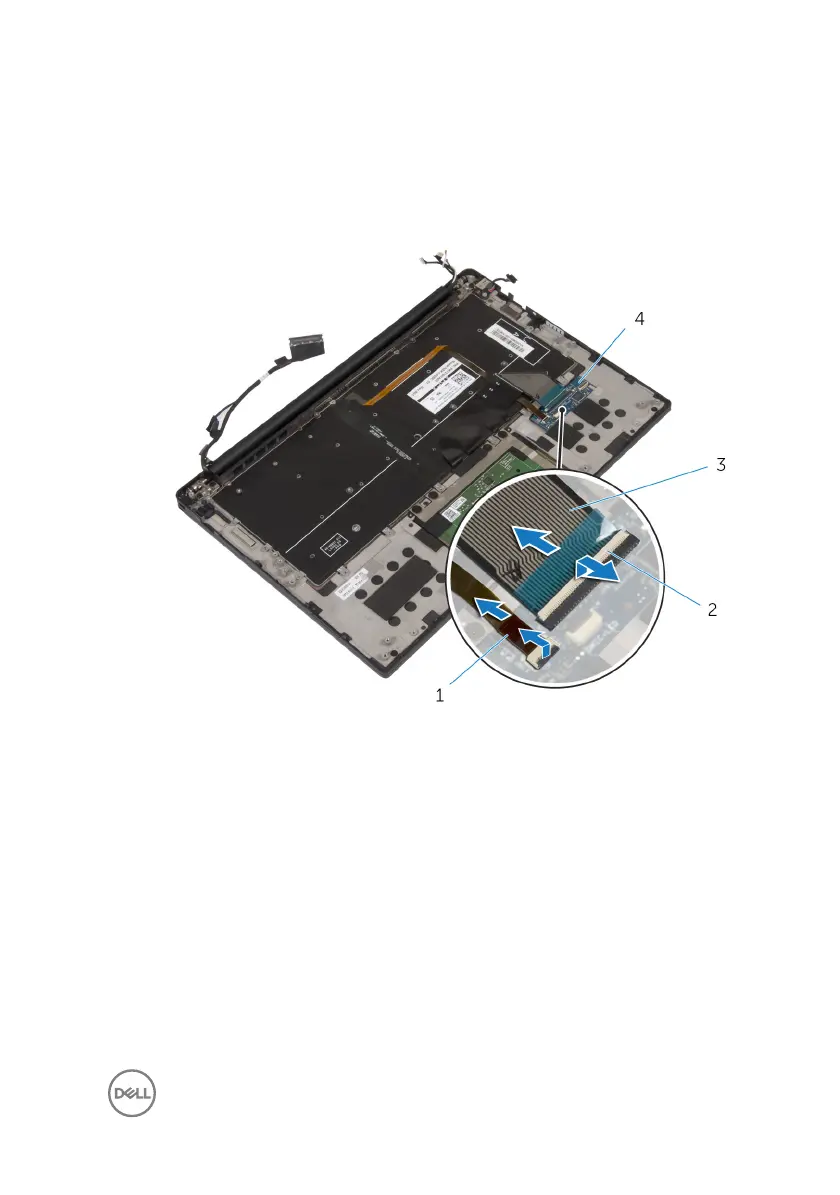
1 Open the latches and disconnect the keyboard cable and the keyboard-backlight
cable from the keyboard-controls board.
Figure 32. Removing the keyboard
1
keyboard-backlight cable 2 latches (2)
3 keyboard cable 4 keyboard-controls board
2 Note the routing of the touchpad cable, the I/O-board cable, and the keyboard-
controls board cable, and peel o the cables from the keyboard.
83



 To Next Page