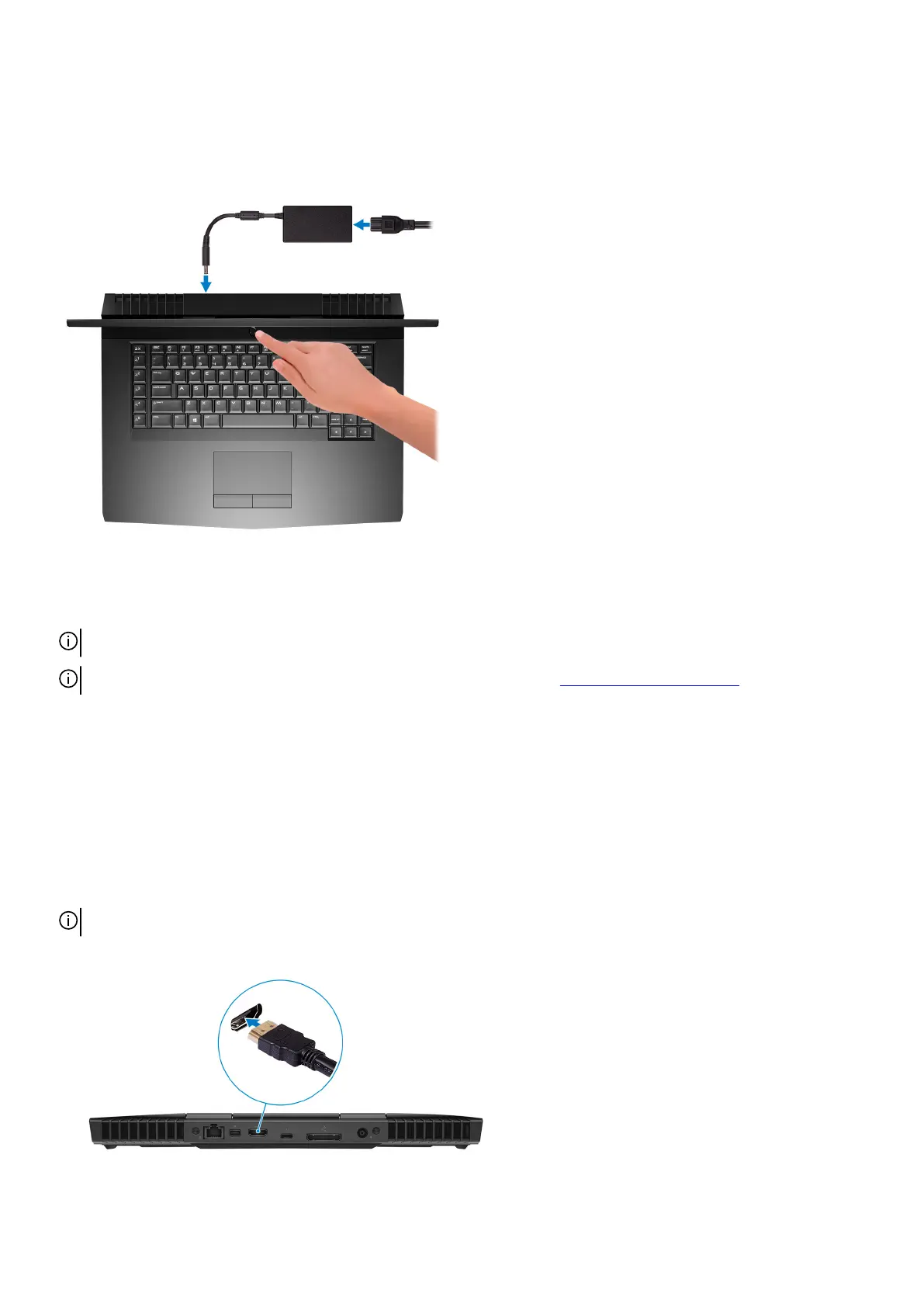
Set up your computer
Connect the power adapter and press the power button.
Set up the Virtual Reality (VR) headset—optional
NOTE: The VR headset is sold separately.
NOTE: If you are using Alienware Graphics Amplifier with your computer, see Alienware Graphics Amplifier.
HTC Vive
1. Connect the HDMI cable of the HTC Vive headset to the back of your computer.
2. Connect the USB cable from the Vive hub to the USB 3.1 Gen 1 port at the right side of your computer.
3. Follow the on-screen instructions to complete the setup.
Oculus Rift
NOTE: The USB dongles are only shipped with computers that are Oculus certified.
1. Connect the HDMI cable of the Oculus Rift headset to the back of your computer.
2. Connect the Oculus Rift headset to the USB Type-A port at the right side of your computer.
4



 To Next Page