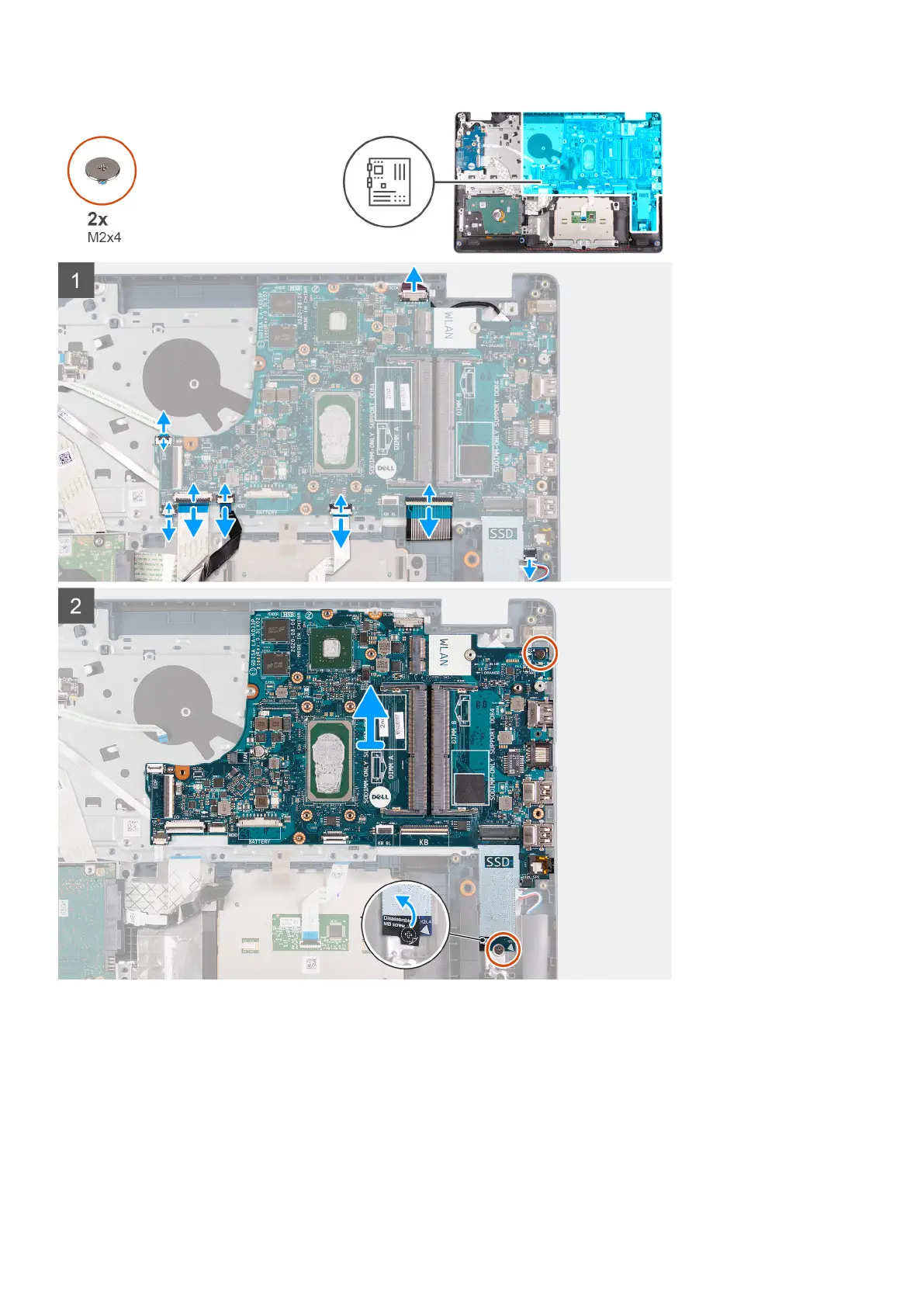
Steps
1. Disconnect the power-adapter port cable from the system board.
2. Disconnect the fan cable from the system board.
3. Open the latch and disconnect the fingerprint-reader cable from the system board, if applicable.
4. Open the latch and disconnect the I/O-board cable from the system board.
5. Open the latch and disconnect the hard-drive cable from the system board, if applicable.
6. Open the latch and disconnect the touchpad cable from the system board.
7. Open the latch and disconnect the keyboard-backlight cable from the system board, if applicable.
70
Removing and installing components



 To Next Page