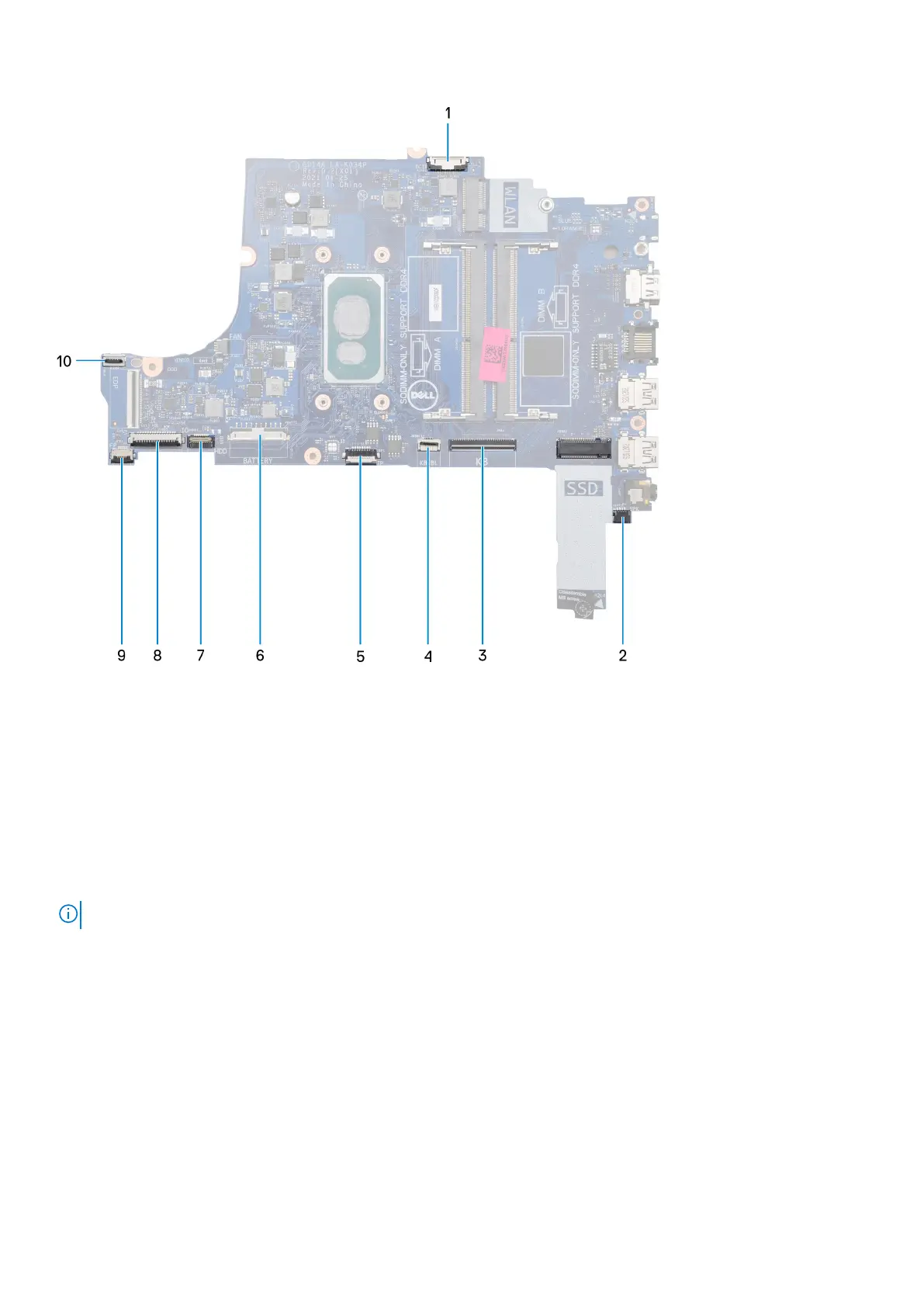
1. Power-adapter port connector
2. Speaker connector
3. Keyboard connector
4. Keyboard-backlight connector
5. Touchpad connector
6. Battery connector
7. Hard-drive connector
8. I/O-board connector
9. Fingerprint-reader connector
10. Power-button connector
The following images indicate the location of the system board and provides a visual representation of the installation procedure.
NOTE: This system board supports the 10
th
Generation Intel Core i3 processor.
72 Removing and installing components



 To Next Page