Views of Inspiron 3502
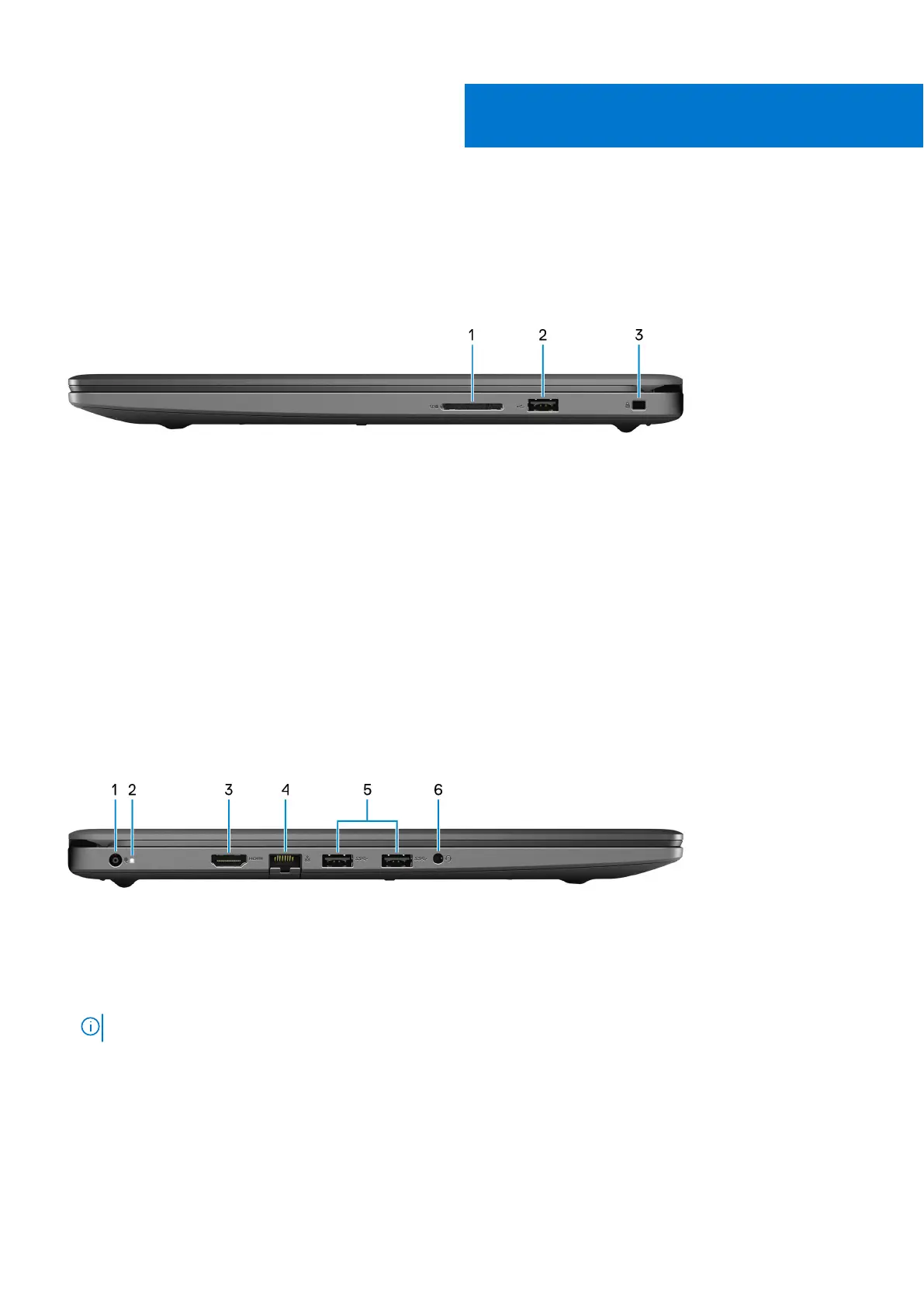
Right
1. SD-card slot
Reads from and writes to the SD card. The computer supports the following card types:
● Secure Digital (SD)
● Secure Digital High Capacity (SDHC)
● Secure Digital Extended Capacity (SDXC)
● MultiMediaCard (MMC)
2. USB 2.0 port
Connect devices such as external storage devices and printers. Provides data transfer speeds up to 480 Mbps.
3. Security-cable slot (wedge-shaped)
Connect a security cable to prevent unauthorized movement of your computer.
Left
1. Power-adapter port
Connect a power adapter to provide power to your computer and charge the battery.
2. Power and battery-status light/hard-drive activity light
Indicates the battery-charge status or the hard-drive activity.
NOTE: Press Fn+H to switch between the power and battery-status light, and hard-drive activity light.
Hard-drive activity light
Turns on when the computer reads from or writes to the hard drive.
Power and battery-status light
Indicates the power and battery-charge status.
Solid white—Power adapter is connected and the battery has more than 5% charge.
2
6 Views of Inspiron 3502



 To Next Page