Installing System Components 99
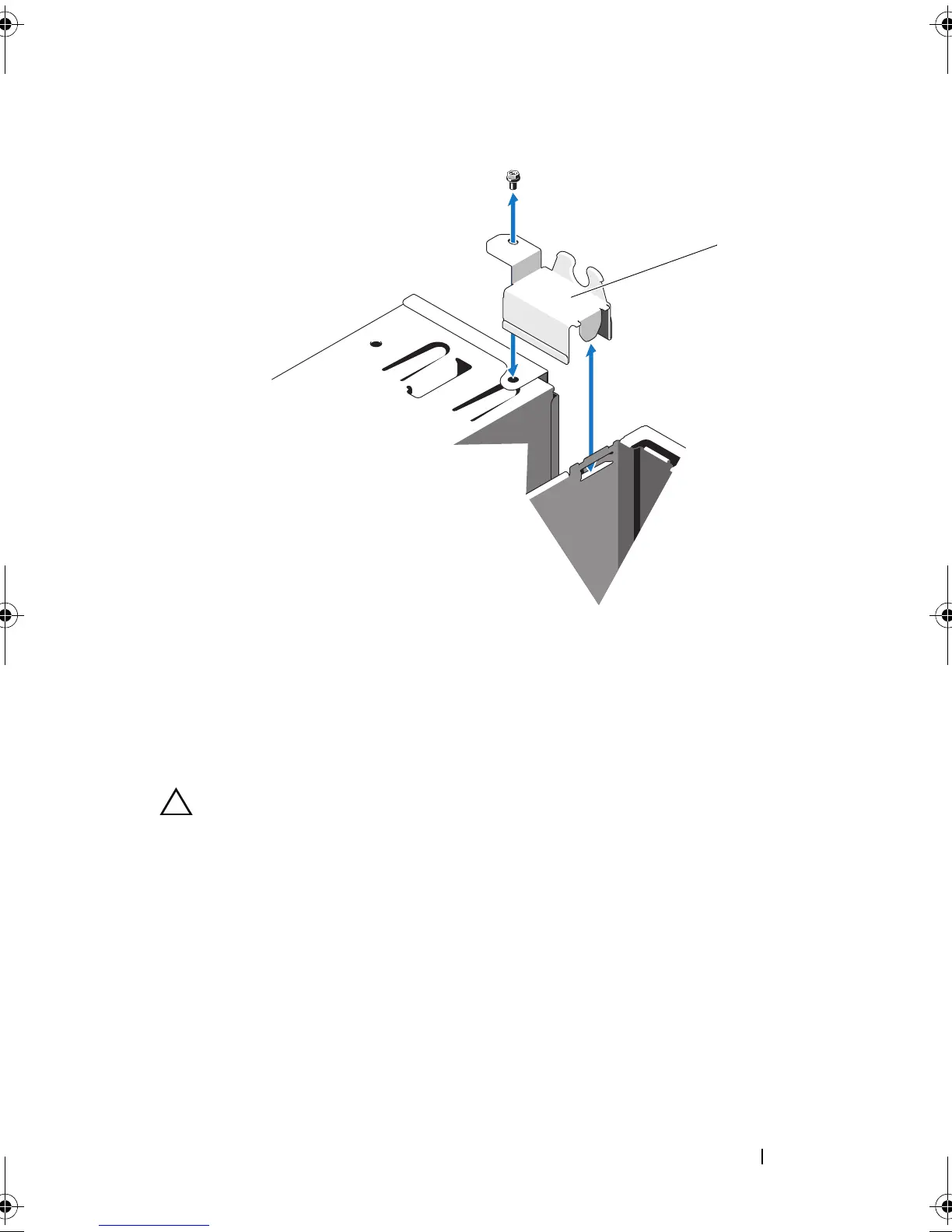
Figure 3-22. Removing the Link Bracket Lock
6
Remove the mounting screw holding the control panel assembly to the
front chassis. See Figure 3-23.
7
Lift the control panel assembly out of the system.
8
Disconnect the control panel cable from the control panel assembly:
CAUTION: Do not pull on the cable to unseat the connector. Doing so can damage
the cable.
a
Press the metal tabs on the ends of the cable connector.
b
Gently work the connector out of the socket.
1 link bracket lock
Mayzie_HOM.book Page 99 Monday, August 31, 2009 9:33 PM









 To Next Page