EasyManua.ls Logo

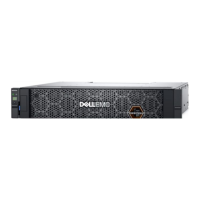
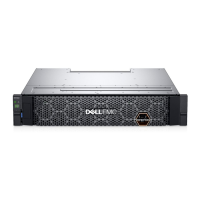
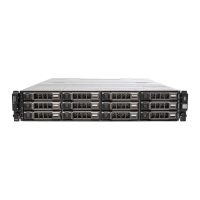
Dell PowerVault ME5012 - User Manual

Dell PowerVault ME5012
141 pages
Print Icon
To Next Page IconTo Next Page
Loading...
Dell PowerVault ME5 Series Storage System
Owners Manual
April 2022
Rev. A01

Table of Contents

Questions and Answers

  • E
    Elizabeth WilsonAug 10, 2025
    What to do if Ops panel Module Fault LED is amber and Fan Fail LED is illuminated on Dell Storage?
    • B
      Brianna McdonaldAug 10, 2025
      If the Ops panel Module Fault LED is amber and the Fan Fail LED is illuminated on one or more PCMs on your Dell Storage, it indicates that the internal temperature has exceeded a preset threshold. Here’s what you can do: 1. Ensure the ambient temperature is within the acceptable range. 2. Check for airflow restrictions at the front and back of the enclosure, maintaining a minimum gap of 25 mm (1") at the front and 50 mm (2") at the rear. 3. Clean any dust build-up. 4. Prevent recirculation of heated air from the rear to the front. Avoid using the enclosure in a fully enclosed rack. 5. If possible, shut down the enclosure and investigate the problem before continuing.
  • W
    wrightaustinAug 20, 2025
    Why is the Fan Fail LED illuminated on the PCM of my Dell PowerVault ME5012 Storage?
    • K
      Kristen SnyderAug 20, 2025
      If the Fan Fail LED is illuminated on the PCM of your Dell Storage, it means a fan has failed. The suggested solution is to replace the PCM.
  • M
    mary55Aug 29, 2025
    How to fix Ops panel Module Fault LED when it is amber on Dell PowerVault ME5012 Storage?
    • J
      Jacqueline HooverAug 29, 2025
      If the Ops panel Module Fault LED is amber on your Dell Storage, it indicates a power fault. Verify that the AC mains connections to the PCM are live.

Summary

Chapter 1: Storage System Hardware

Controller Failure

Provides information on controller failure scenarios and corrective actions for Cache Status LEDs.

Chapter 2: Troubleshooting and Problem Solving

Fault Isolation Methodology

Outlines the basic methodology for locating faults within a storage system.

Options for Basic Troubleshooting Steps

Lists available options for performing fault isolation and troubleshooting.

Chapter 3: Module Removal and Replacement

ESD Precautions

Provides essential precautions for preventing electrostatic discharge when handling components.

Dealing with Hardware Faults

Advises on ensuring a replacement module is available before removing a faulty one.

Firmware Updates

Guides on verifying and updating firmware for controller, expansion modules, and drives.

Verifying Component Failure

Outlines methods to verify component failure using PowerVault Manager, CLI, or LEDs.

Customer-Replaceable Units (CRUs)

Lists the types of ME5 Series controller enclosures and their CRUs.

Replacing a Drive Carrier Module in a 2 U Enclosure

Details the procedure for replacing LFF and SFF drive carrier modules in 2U enclosures.

Replacing a DDIC in a 5 U Enclosure

Explains how to replace a Disk Drive in Carrier (DDIC) in a 5U enclosure.

Replacing a Controller Module or IOM

Provides procedures for removing and installing controller modules or IOMs in 2U/5U enclosures.

Replacing a Power Cooling Module (PCM) in a 2 U Enclosure

Details the removal and installation of a Power Cooling Module (PCM) in a 2U enclosure.

Replacing a Power Supply Unit (PSU) in a 5 U Enclosure

Explains how to remove and install a Power Supply Unit (PSU) in a 5U enclosure.

Replacing a Fan Cooling Module (FCM) in a 5 U Enclosure

Details the removal and installation of a Fan Cooling Module (FCM) in a 5U enclosure.

Completing the Component Installation Process

Ensures installed components function properly by reconnecting cables and verifying configuration.

Verifying Component Operation

Describes how to verify component operation using LEDs and management interfaces.

Using Management Interfaces

Details using PowerVault Manager or CLI to monitor system health and components.

Chapter 4: Events and Event Messages

Event Descriptions

Describes event messages reported during system operation and recommended actions.

Connecting to the CLI

Micro-USB Device Connection

Explains how to connect to the CLI using a micro-USB cable.

Dell PowerVault ME5012 Specifications

General IconGeneral
ModelPowerVault ME5012
CategoryStorage
Form Factor2U Rack
Drive Bays12
ProcessorsIntel Xeon
Management SoftwarePowerVault Manager
Supported DrivesSAS, SSD
ControllersDual-active
Host Connectivity10Gb iSCSI, 12Gb SAS, 16Gb FC
RAID Levels0, 1, 5, 6, 10
Power SupplyDual, Hot-pluggable
Cache Memoryper controller
Operating System SupportWindows, Linux, VMware

Related product manuals