35
Using Your Studio Laptop
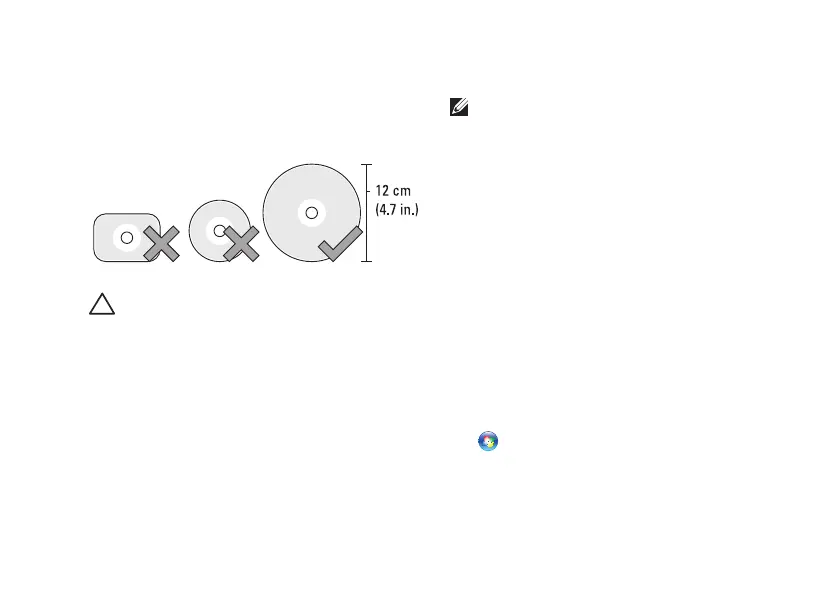
This optical drive plays or records only
standard-size and shape (12 cm) CDs and DVDs.
Ensure that the side with print or writing is
facing upward when inserting discs.
CAUTION: Do not move the computer while
playing the disc.
Place the disc in the center of the disc slot, with
the label facing upwards and gently push the
disc into the slot. The drive will automatically
pull the disc in and begin reading its content.
To eject a disc from the drive, gently press
the eject icon on the keyboard (see “Media
Controls” on page XX).
Software Features
NOTE: For more information about the
features described in this section, see
the Dell Technology Guide on your hard
drive or on the Dell Support website at
support.dell.com.
FastAccess Facial Recognition
Your computer may have the FastAccess facial
recognition feature. This feature helps to keep
your Dell computer secure by learning the
unique appearance of your face and uses this to
verify your identity to automatically supply login
information when you would normally enter this
information yourself (such as for logging into
a Windows account or into secure websites).
For more information, click
Start → Programs→ FastAccess



 To Next Page