Set up your computer
Steps
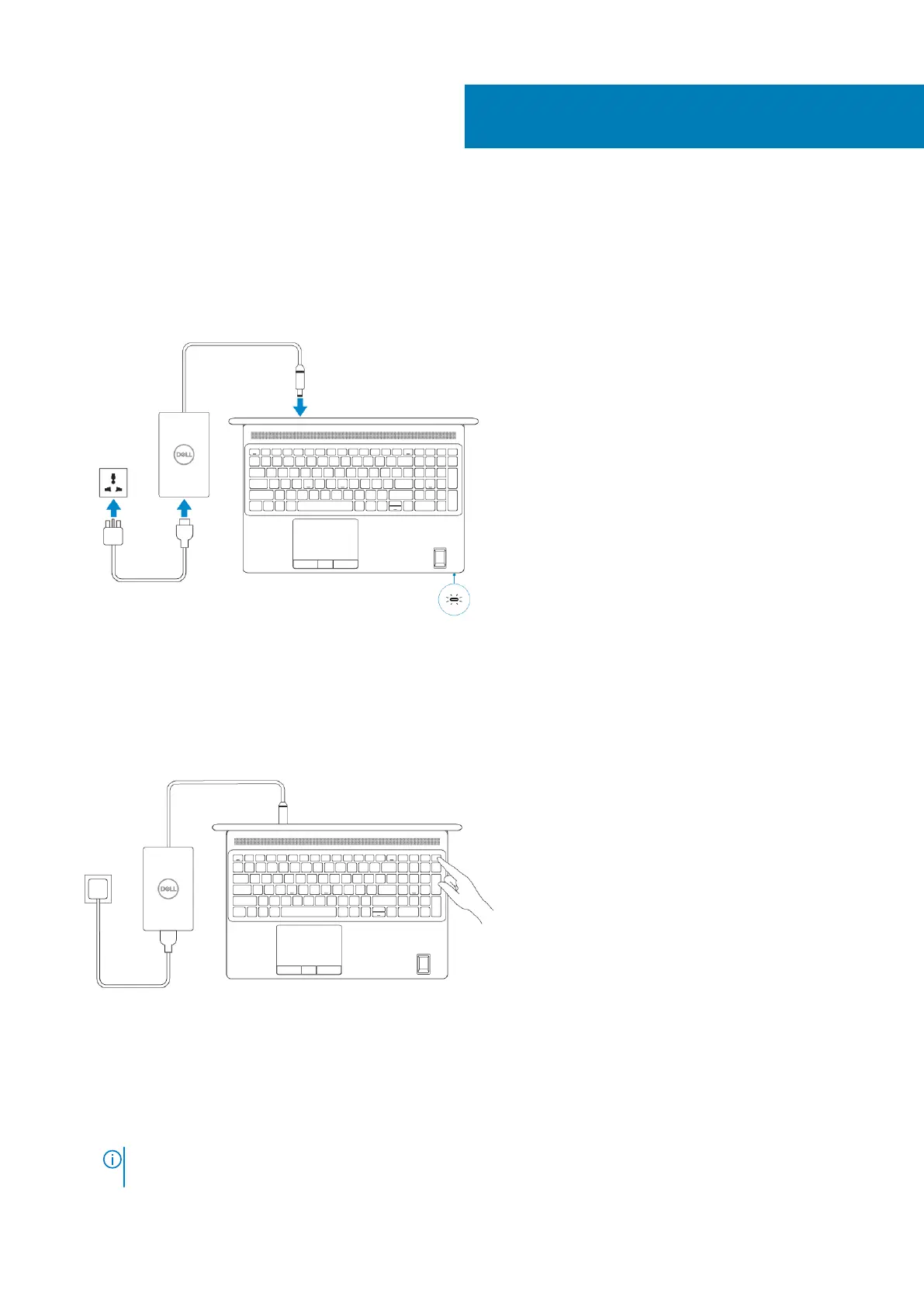
1. Connect the power cable.
2. Press the power button.
3. Finish Windows system setup.
Follow the on-screen instructions to complete the setup. When setting up, Dell recommends that you:
• Connect to a network for Windows updates.
NOTE:
If connecting to a secured wireless network, enter the password for the wireless network access when
prompted.
1
Set up your computer 5






 To Next Page