EasyManua.ls Logo

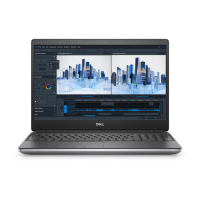
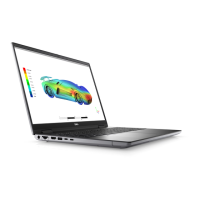
Dell Precision 7540 - User Manual

Dell Precision 7540
121 pages
Print Icon
To Next Page IconTo Next Page
Loading...
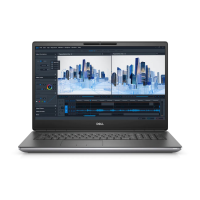
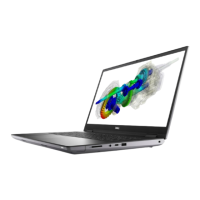
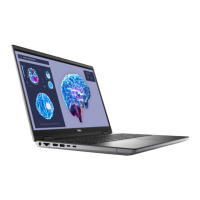
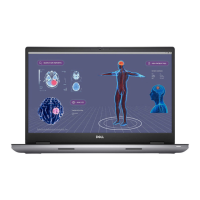
Dell Precision 7540
Service Manual
Regulatory Model: P74F
Regulatory Type: P74F002
November 2022
Rev. A04

Table of Contents

Other manuals for Dell Precision 7540

Questions and Answers

  • L
    Laurie GreerSep 23, 2025
    What to do if my Dell Laptop has an EC ran into power sequencing failure?
    • D
      davidhoffmanSep 23, 2025
      If your Dell Laptop's EC ran into a power sequencing failure, flash the latest BIOS version. If the problem continues, replace the system board.
  • C
    Christina LongAug 25, 2025
    How to fix memory failure on Dell Laptop?
    • C
      Cheryl VegaAug 25, 2025
      To fix a memory failure on your Dell Laptop, replace the memory module.
  • J
    jacksonamberAug 25, 2025
    What to do if my Dell Precision 7540 Laptop battery is swollen?
    • Y
      Yolanda MooreAug 26, 2025
      If you notice a swollen battery in your Dell Laptop, stop using the laptop immediately. Disconnect the AC adapter and allow the battery to fully drain. It is recommended to contact Dell product support to explore options for replacing the swollen battery under warranty or service contract. Swollen batteries should be replaced and disposed of properly, as the potential for swelling is inherent to lithium-ion polymer battery technology.
  • K
    Kathleen Gonzalez DDSAug 26, 2025
    What to do if a Dell Precision 7540 Laptop detects flash corruption?
    • W
      williamsmorganAug 27, 2025
      If your Dell Laptop detects flash corruption, flash the latest BIOS version. If the problem continues, replace the system board.
  • J
    Jessica EdwardsAug 27, 2025
    What to do if my Dell Precision 7540 Laptop has an EC power sequencing failure?
    • R
      Robert BradshawAug 27, 2025
      If your Dell Laptop experiences an EC power sequencing failure, flash the latest BIOS version. If the problem persists, replace the system board.
  • P
    Paul ClarkSep 14, 2025
    What to do if my Dell Precision 7540 has a Flash corruption detected by SBIOS?
    • W
      William PatelSep 14, 2025
      If flash corruption is detected by SBIOS on your Dell Laptop, flash the latest BIOS version. If the problem persists, replace the system board.
  • A
    Allen BuchananSep 12, 2025
    What to do if my Dell Precision 7540 Laptop has a BIOS Recovery image not found?
    • C
      Christopher ChaseSep 12, 2025
      If the BIOS recovery image is not found on your Dell Laptop, flash the latest BIOS version. If the issue continues, replace the system board.
  • D
    Denise ReynoldsSep 13, 2025
    What to do if my Dell Precision 7540 has a BIOS Recovery image found but invalid?
    • K
      Katherine LloydSep 13, 2025
      If the BIOS recovery image is found but invalid on your Dell Laptop, flash the latest BIOS version. If the problem persists, replace the system board.
  • L
    Luis DorseySep 5, 2025
    What to do if my Dell Precision 7540 Laptop doesn't detect memory or RAM?
    • J
      John SmithSep 5, 2025
      If your Dell Laptop is not detecting memory or RAM, first confirm that the memory module is installed properly. If the problem continues, replace the memory module.
  • H
    Hunter BryantSep 2, 2025
    What to do if my Dell Precision 7540 Laptop detects invalid memory installed?
    • H
      Hunter KlineSep 2, 2025
      If your Dell Laptop detects invalid memory, replace the memory module.

Summary

Working on Your Computer

Safety Instructions

Guidelines to protect your computer from potential damage and ensure personal safety.

Before Working Inside Your Computer

Essential preparation steps before performing internal computer maintenance or repairs.

After Working Inside Your Computer

Post-maintenance procedures to ensure the computer is properly reassembled and safe.

Component Removal and Installation

System Board Replacement

Comprehensive steps for removing and installing the main system board.

BIOS Setup and Configuration

Updating System BIOS

Instructions for updating the BIOS via Windows, USB drive, or F12 One-Time boot menu.

Troubleshooting and Diagnostics

ePSA Diagnostics

How to run the embedded Pre-Boot System Assessment for hardware diagnostics.

Recovering the Operating System

Procedure to recover the operating system using Dell SupportAssist OS Recovery.

Dell Precision 7540 Specifications

General IconGeneral
WirelessIntel Wi-Fi 6 AX200, Bluetooth 5.0
GraphicsNVIDIA Quadro RTX 3000, RTX 4000, or RTX 5000
Display15.6" FHD (1920x1080)
MemoryUp to 128GB DDR4
StorageUp to 6TB total storage with multiple drives
Operating SystemWindows 10 Pro, Ubuntu Linux
PortsThunderbolt 3, USB 3.1 Gen 1, HDMI 2.0, Mini DisplayPort 1.4, RJ-45, SD card reader
Battery6-cell 97Whr

Related product manuals