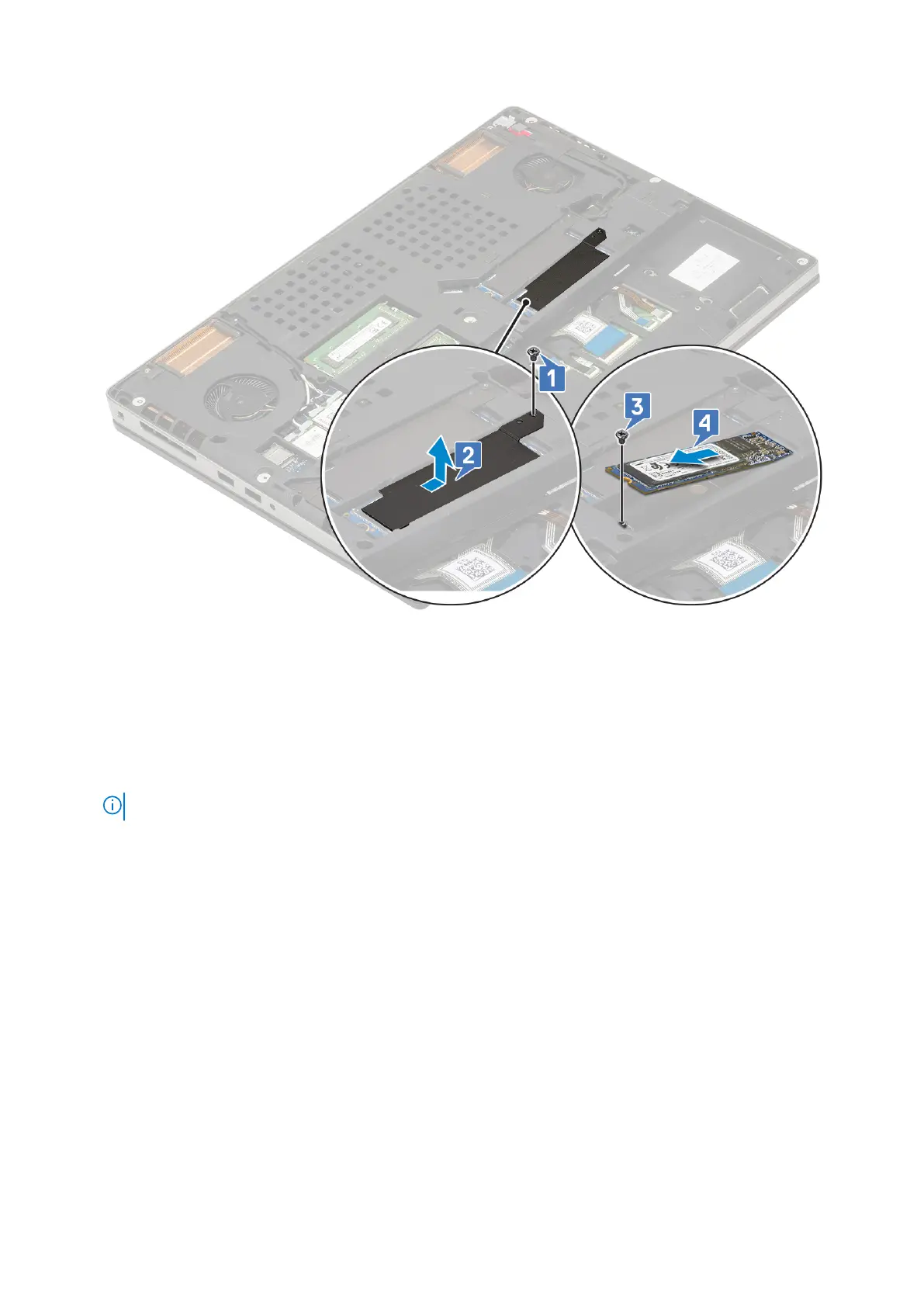
Installing the M.2 SSD module
1. To install the M.2 SSD module (Slot 4):
a. Place the M.2 SSD into its slot in the system [1].
b. Replace the single (M2.0x3.0) screw to secure the M.2 SSD to the system board [2].
c. Place the thermal plate above the M.2 SSD module [3].
d. Replace the single (M2.0x3.0) screw to secure the thermal plate to the M.2 SSD [4].
NOTE: Repeat the above steps to install other M.2 SSD installed (Slot 3 and 5).
40 Removing and installing components















 To Next Page