Back to Contents Page
I/O Board
DellPrecision™ServiceManual
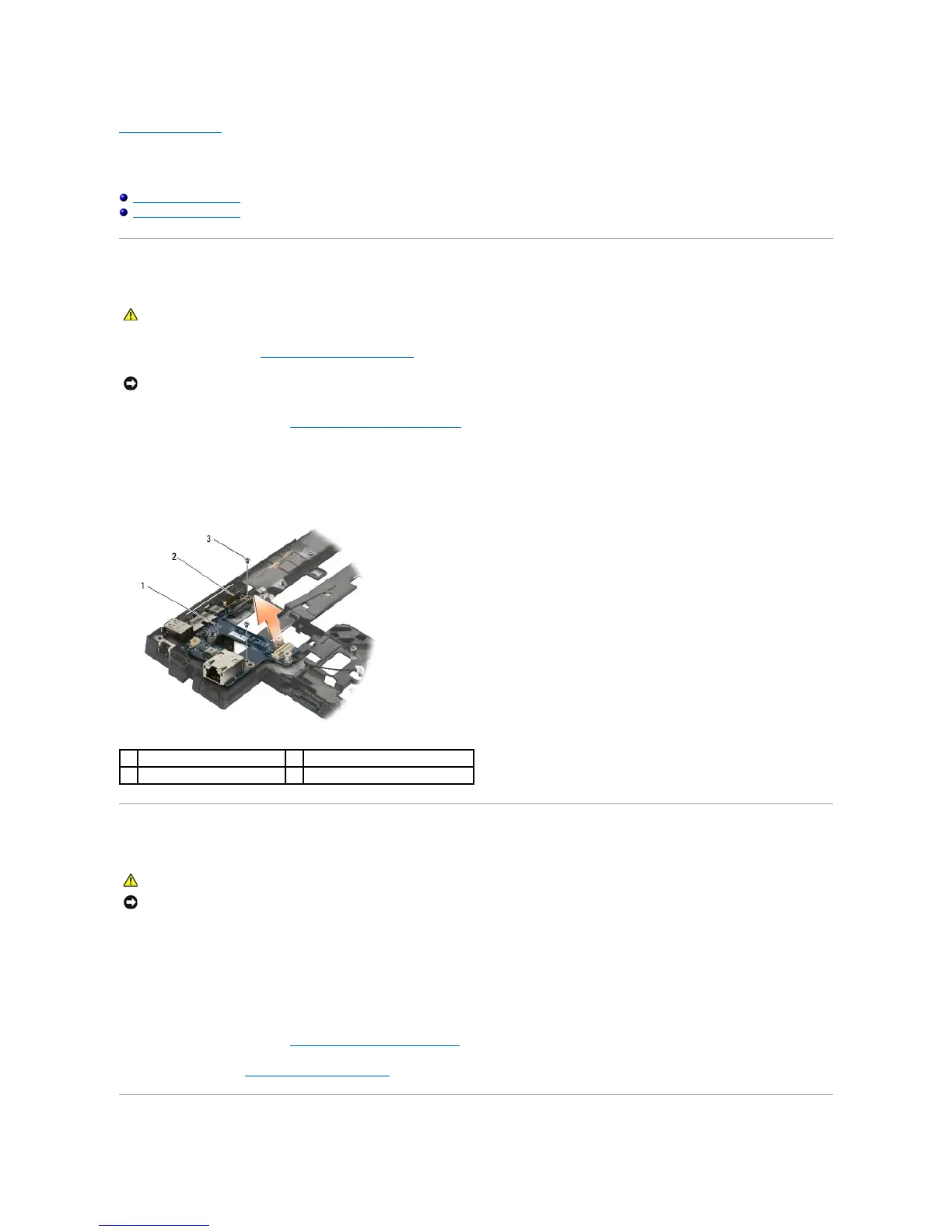
Removing the I/O Board
Replacing the I/O Board
Removing the I/O Board
1. Follow the procedures in Before Working on Your Computer.
2. Remove the system board (see Removing the System Board Assembly).
3. Remove the two M2 x 3-mm screws from the I/O board.
4. Lift the I/O board out of the base by first raising the inside (left) edge of the card, then withdrawing the right edge of the card from under the wireless
switch actuators.
Replacing the I/O Board
1. Install the I/O board into the base assembly by first placing the outside (right) edge of the card under the wireless switch actuators, then lowering the
left edge of the board onto the locator pins.
2. Replace the two M2 x 3-mm screws to secure the I/O board to the base assembly.
3. Slide the wireless switch on and off to ensure that it functions without any obstruction.
4. Replace the system board (see Replacing the System Board Assembly)).
5. Follow the procedure After Working on Your Computer.















 To Next Page