Back to Contents Page
LED Cover
DellPrecision™ServiceManual
Removing the LED Cover
Replacing the LED Cover
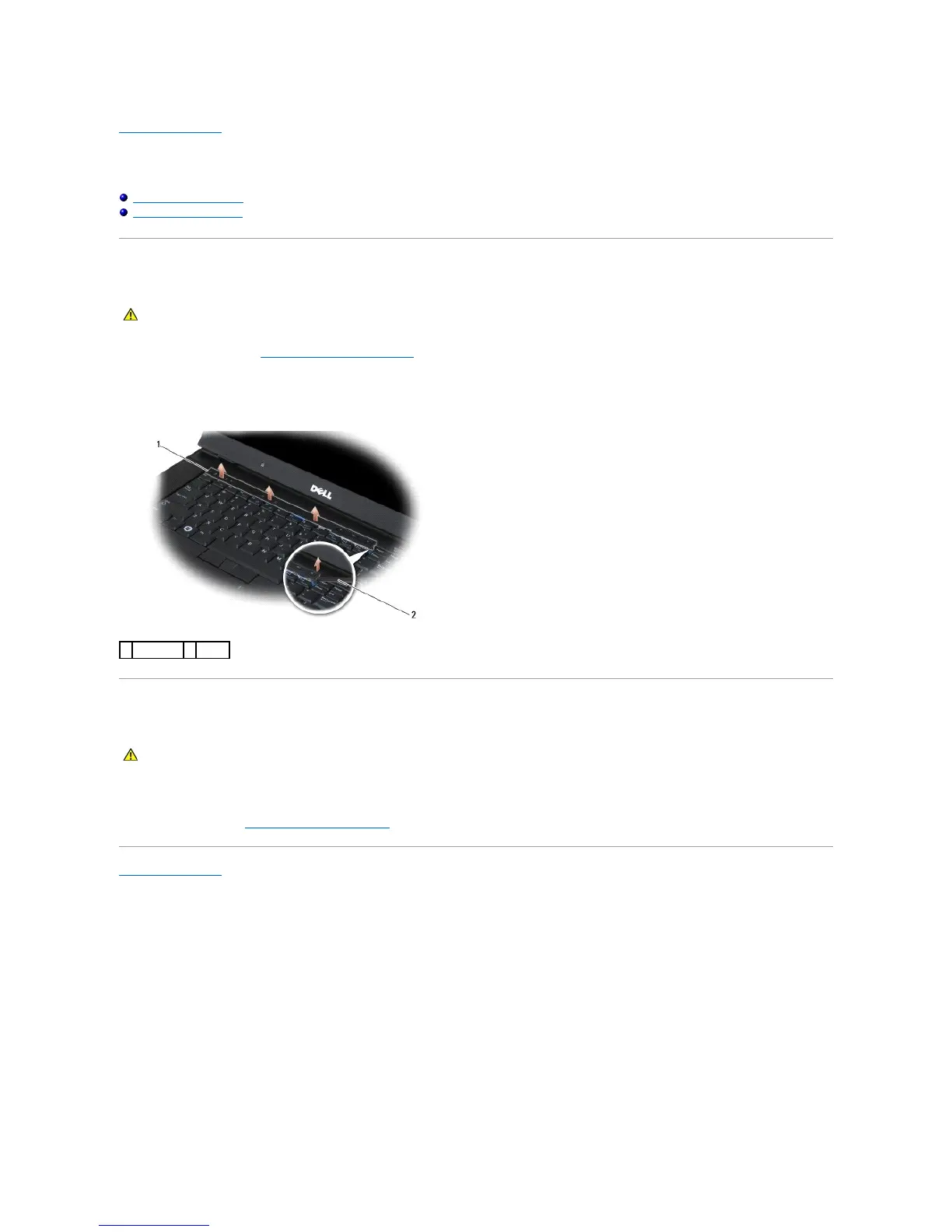
Removing the LED Cover
1. Follow the procedures in Before Working on Your Computer.
2. Open the display.
3. Using a plastic scribe, lift the right end of the LED cover. Lift the remainder of the cover to remove it from the laptop.
Replacing the LED Cover
1. Snap the LED cover back into place one tab at a time.
2. Follow the procedure After Working on Your Computer.
Back to Contents Page















 To Next Page