2
Removing and Installing Components
This section provides detailed information on how to remove or install the components from your
computer.
System Overview
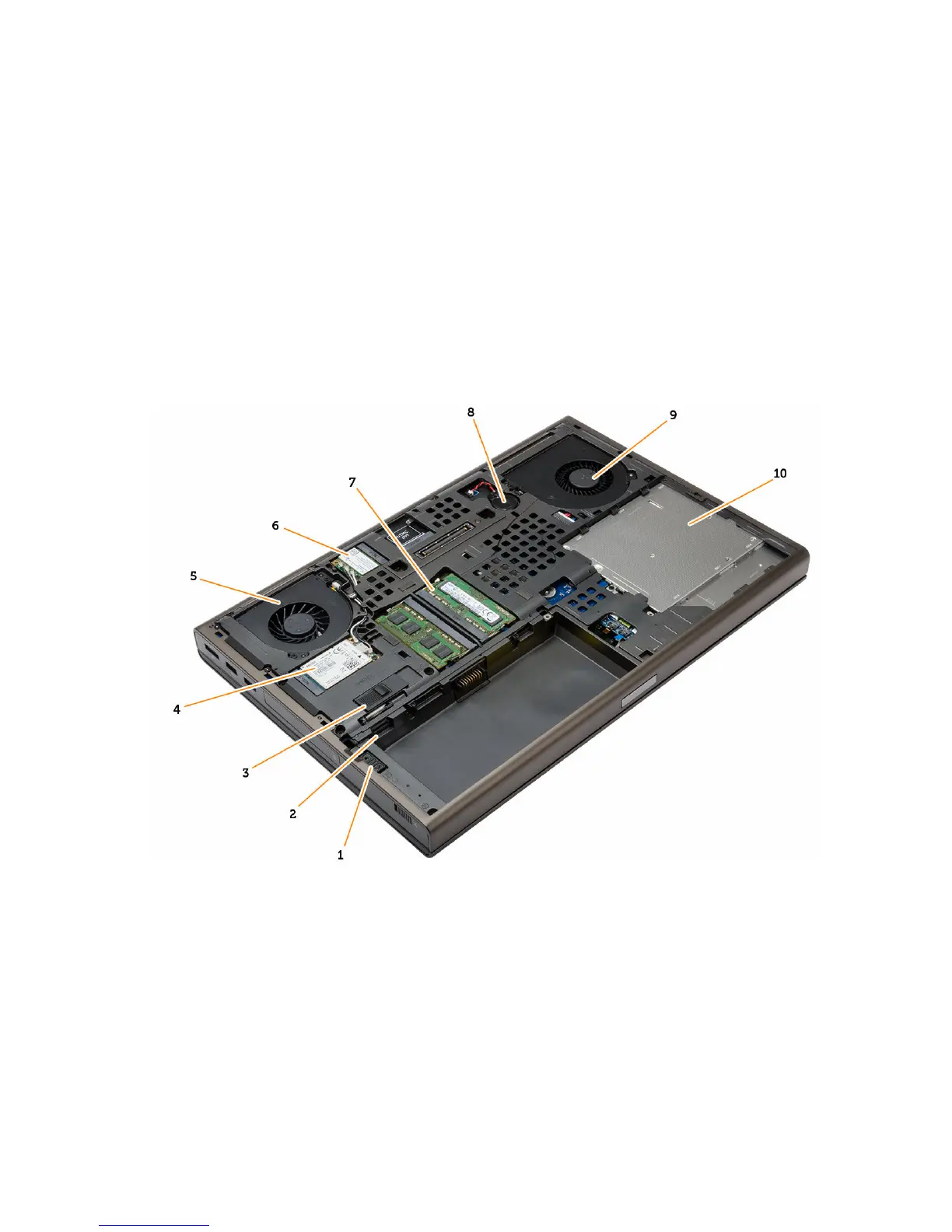
Inside view — back
1. hard-drive latch 2. Micro SIM card slot
3. battery release latch 4. WWAN card / mSATA SSD card
5. video-card fan 6. WLAN card
7. primary memory 8. coin-cell battery
9. system fan 10. optical drive
9















 To Next Page