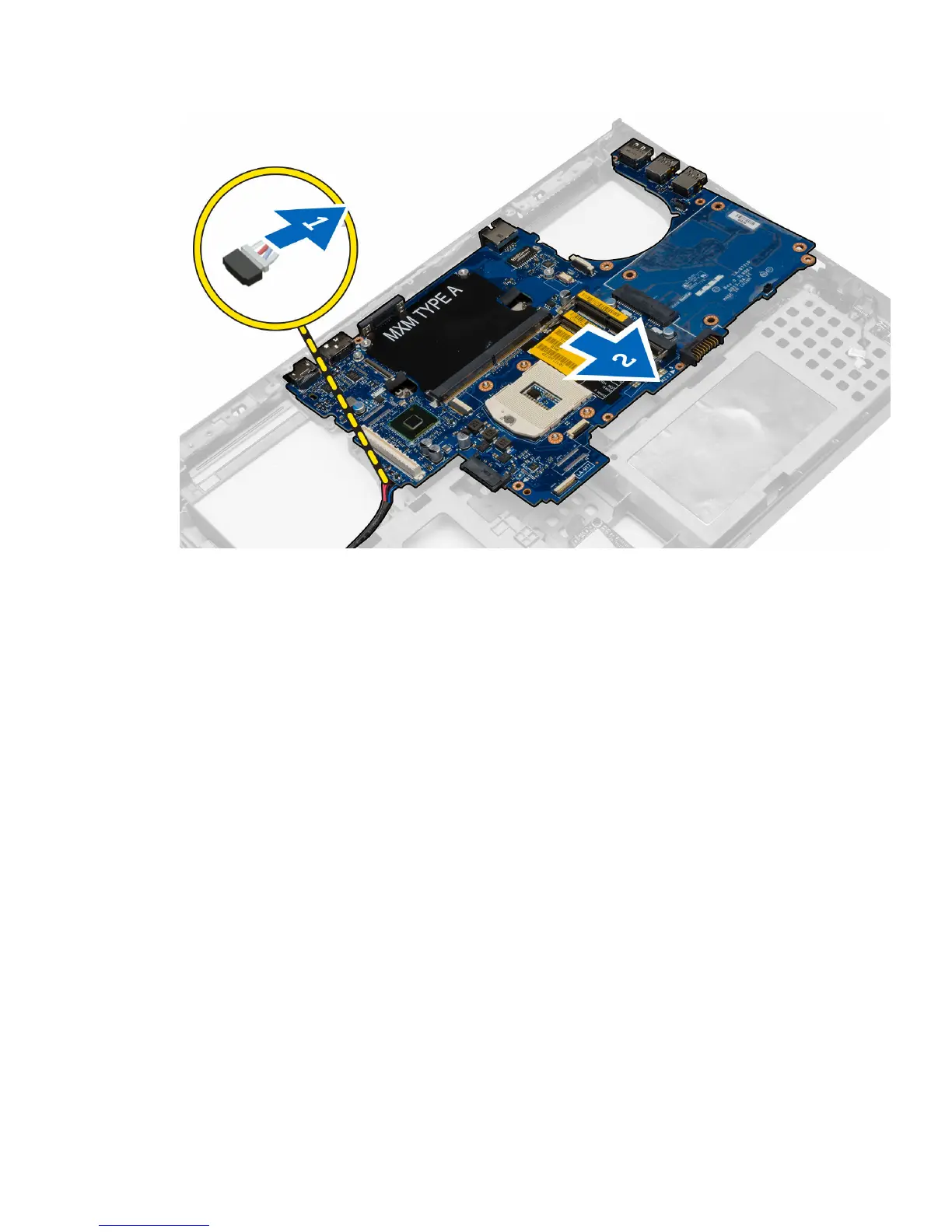
Installing the System Board
1. Connect the power connector cable to the system board.
2. Place the system board in its compartment.
3. Tighten the screws to secure the system board to the computer.
4. Connect the following cables:
a. USH connector
b. wi-fi switch cable
c. wireless board connectors
d. coin-cell battery
5. Install the wireless cards (if available).
6. Install the:
a. display assembly
b. I/O board
c. video card
d. video-card heat sink
e. processor
f. heat sink
g. palmrest
h. video-card fan
i. processor fan
j. secondary memory
k. primary memory
l. hard drive
47















 To Next Page