EasyManua.ls Logo

Dell Premier MS900 - User Manual

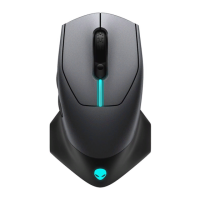
Dell Premier MS900
27 pages
Print Icon
To Next Page IconTo Next Page
Loading...
Regulatory model: MS900/UD2301
Dell Premier
Rechargeable Mouse – MS900
User’s Guide
Question and Answer IconNeed help?

Do you have a question about the Dell Premier MS900 and is the answer not in the manual?

Summary

Setting up your wireless mouse

Charging the battery

Instructions for charging the mouse's rechargeable battery for initial use.

Turning on the wireless mouse

Guide on how to activate the wireless mouse using its power switch.

Pairing your wireless mouse

Pairing using Dell Pair Software

Instructions for pairing the mouse using the Dell Pair software utility.

Pairing using Swift Pair

Guide to pairing the mouse with Windows Swift Pair functionality.

Pairing using Bluetooth

Steps to connect the mouse using the standard Bluetooth connection method.

Pairing with USB Receiver

How to connect the mouse using the included Dell Secure Link USB receiver.

Changing Scroll Speed

Troubleshooting

Specifications

Summary

Setting up your wireless mouse

Charging the battery

Instructions for charging the mouse's rechargeable battery for initial use.

Turning on the wireless mouse

Guide on how to activate the wireless mouse using its power switch.

Pairing your wireless mouse

Pairing using Dell Pair Software

Instructions for pairing the mouse using the Dell Pair software utility.

Pairing using Swift Pair

Guide to pairing the mouse with Windows Swift Pair functionality.

Pairing using Bluetooth

Steps to connect the mouse using the standard Bluetooth connection method.

Pairing with USB Receiver

How to connect the mouse using the included Dell Secure Link USB receiver.

Changing Scroll Speed

Troubleshooting

Specifications

Dell Premier MS900 Specifications

General IconGeneral
TypeWireless
DPI1600
ColorBlack
Scroll WheelYes
ConnectivityBluetooth
CompatibilityWindows, macOS, Linux
Battery TypeAA

Related product manuals