Pairing your wireless mouse │ 11
User interface
1. Place your wireless mouse near your computer. Then press the connection-mode
button to switch to the rst pairing mode ( ).
2. Press the connection-mode button for three seconds. Ensure that the rst
Bluetooth channel LED ( ) blinks white, indicating the Bluetooth pairing is initiated.
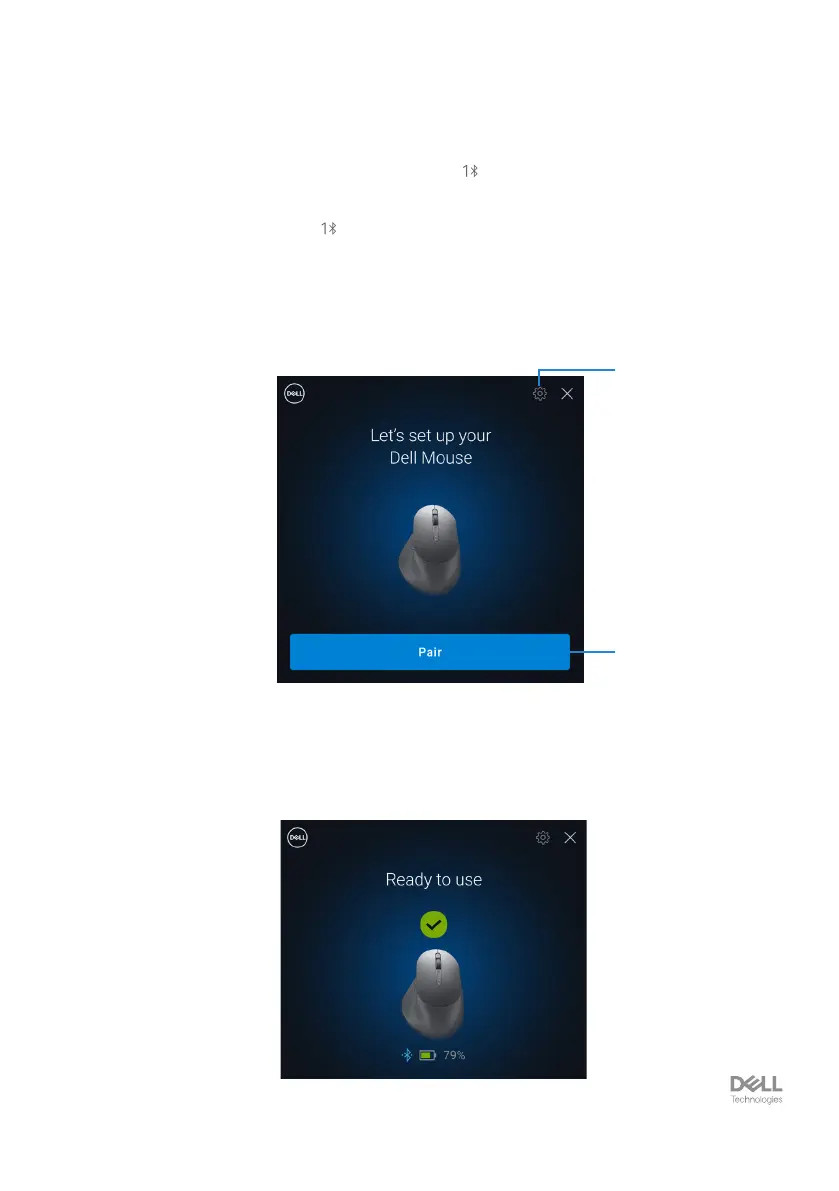
3. Dell Pair pops up a notication when a device supporting detection by Dell Pair,
is turned on and brought close to the Bluetooth detection range of the computer
for the rst time. Click Pair to proceed with seamless pairing of the device using
Bluetooth.
1
2
1. Dell Pair settings
2. Pair button to start pairing using Bluetooth
4. After successful pairing, the wireless mouse is ready to be used.



 To Next Page