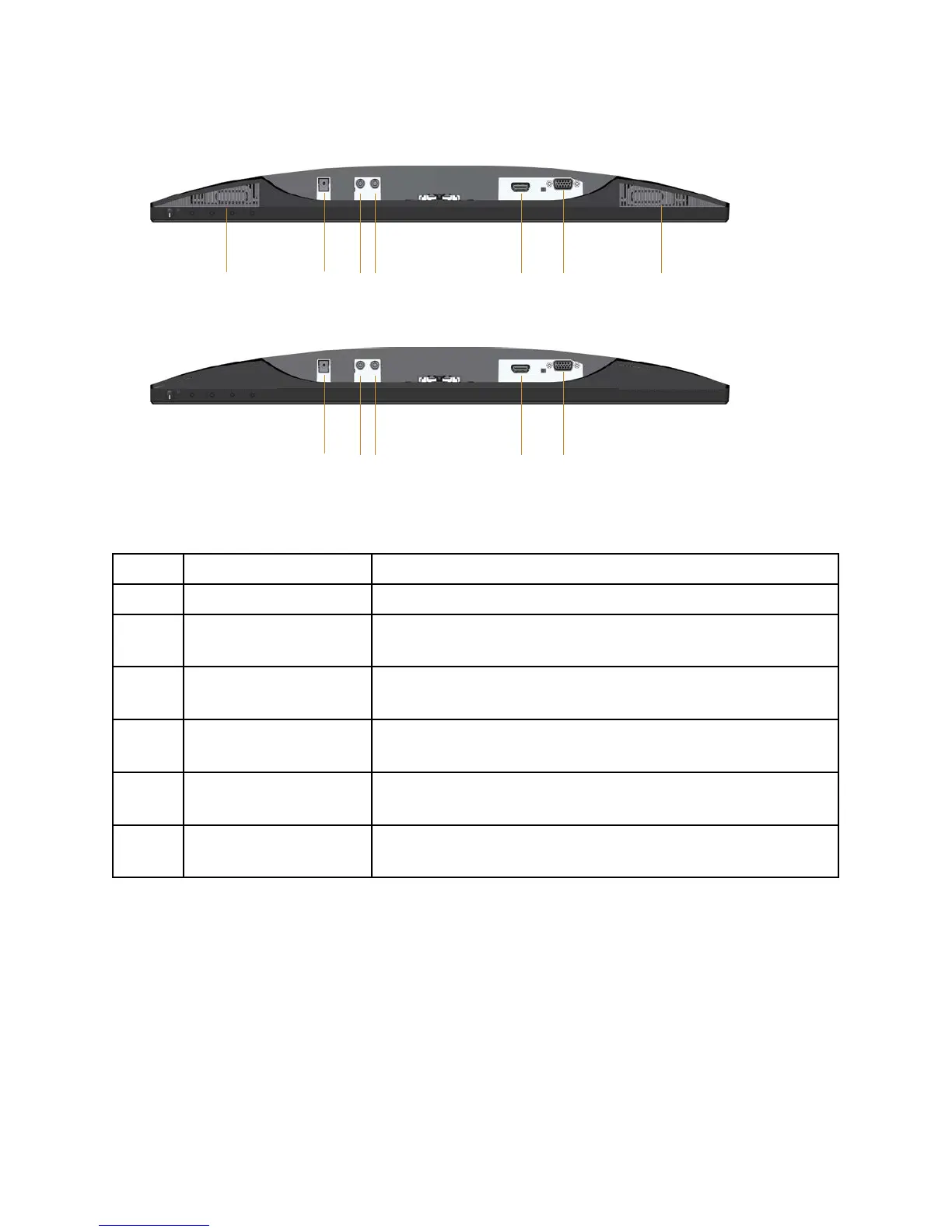
Bottom view without monitor stand
Label Description Use
1/7 Speaker Build-in Speaker(3W)x2
2 Power-adapter port To connect the monitor power cable using a 12V DC
adapter for transition.
3 Audio Line Out port Connect to external speakers (Optional Purchase)*
4 Audio Line In port Connects the audio cable (Optional Purchase) from
the source device to the monitor.
5 HDMI port To connect your computer to the monitor using an
HDMI cable.
6 VGA port To connect your computer to the monitor using a
VGA cable.
*Headphone usage is not supported for the audio line out port.



 To Next Page