36 | Setting up the monitor
Removing the monitor stand
NOTE: To prevent scratches on the LCD screen when removing the stand,
ensure that the monitor is placed on a soft surface and handle it carefully.
NOTE: The following instructions are applicable only for the stand that
was shipped with your monitor. If you are connecting a stand that you
purchased from any other source, follow the set up instructions that were
included with the stand.
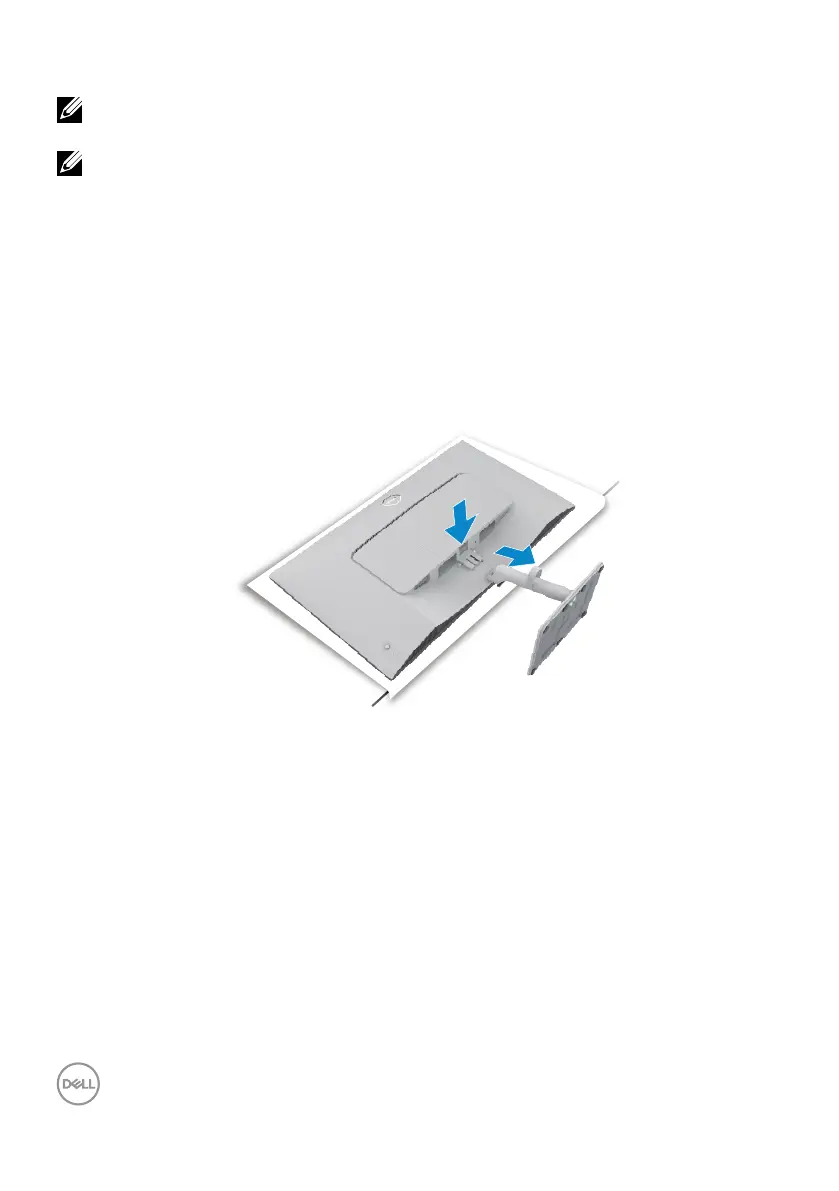
To remove the stand:
1. Place a at cushion or a sitting mat near the edge of a table and place the
monitor on it with the display facing down.
2. Press the stand down to access to the release latch.
3. Press the release latch.
4. While pressing the release latch, slide out the stand assembly from the monitor.
4
3



 To Next Page