About Your Monitor | 7
• Software and documentation media includes an Information File (INF), Image Color
Matching File (ICM), and product documentation.
• Security loc
k slot.
• Stand lock.
• T
CO-Certified Displays.
• Arsenic
-Free glass and Mercury-Free for the panel only.
• 0
.5 W standby power when in sleep mode.
• Energy Gauge shows the energy level being consumed by the monitor in real time.
• Analog
backlight dimming control for flicker-free display.
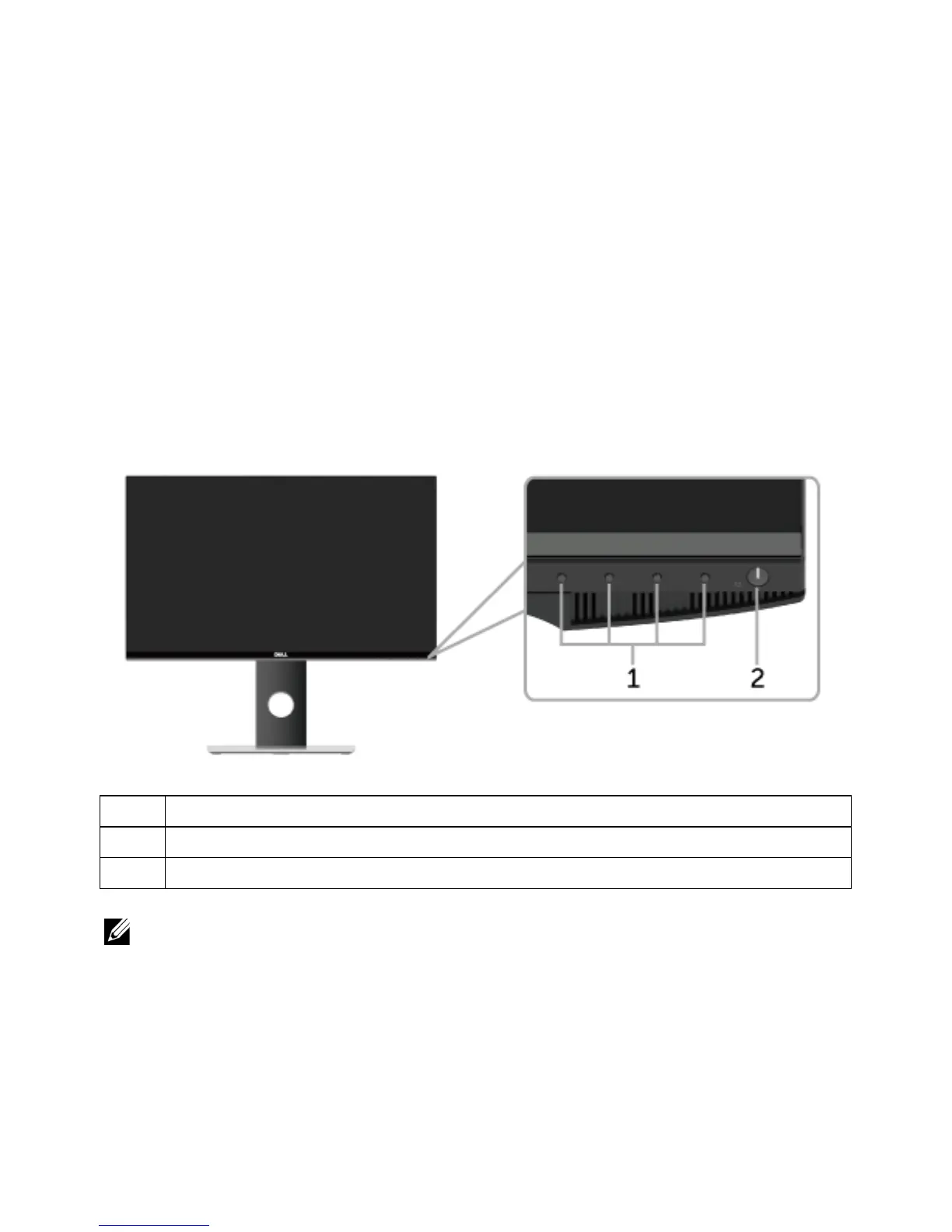
Identifying Parts and Controls
Front View
Description
1 Function buttons (For more information, see
Operating the Monitor
)
2 Power On/Off button (with LED indicator)
NOTE: For displays with glossy bezels the user should consider the placement of
the display as the bezel may cause disturbing reflections from surrounding light and
bright surfaces.
Label



 To Next Page