8 | About your monitor
• Decreases the level of hazard blue light emitted from the screen to make viewing
more comfortable for your eyes.
• The Monitor adopts Flicker-Free technology, which clears the eye visible flicker,
brings comfort viewing experience and preventing users suffer from eye strain
and fatigue.
* PC system that supports DPBS is in Dell website.
WARNING: The possible long-term effects of blue light emission from the
monitor may cause damage to the eyes, including eye fatigue or digital eye
strain.
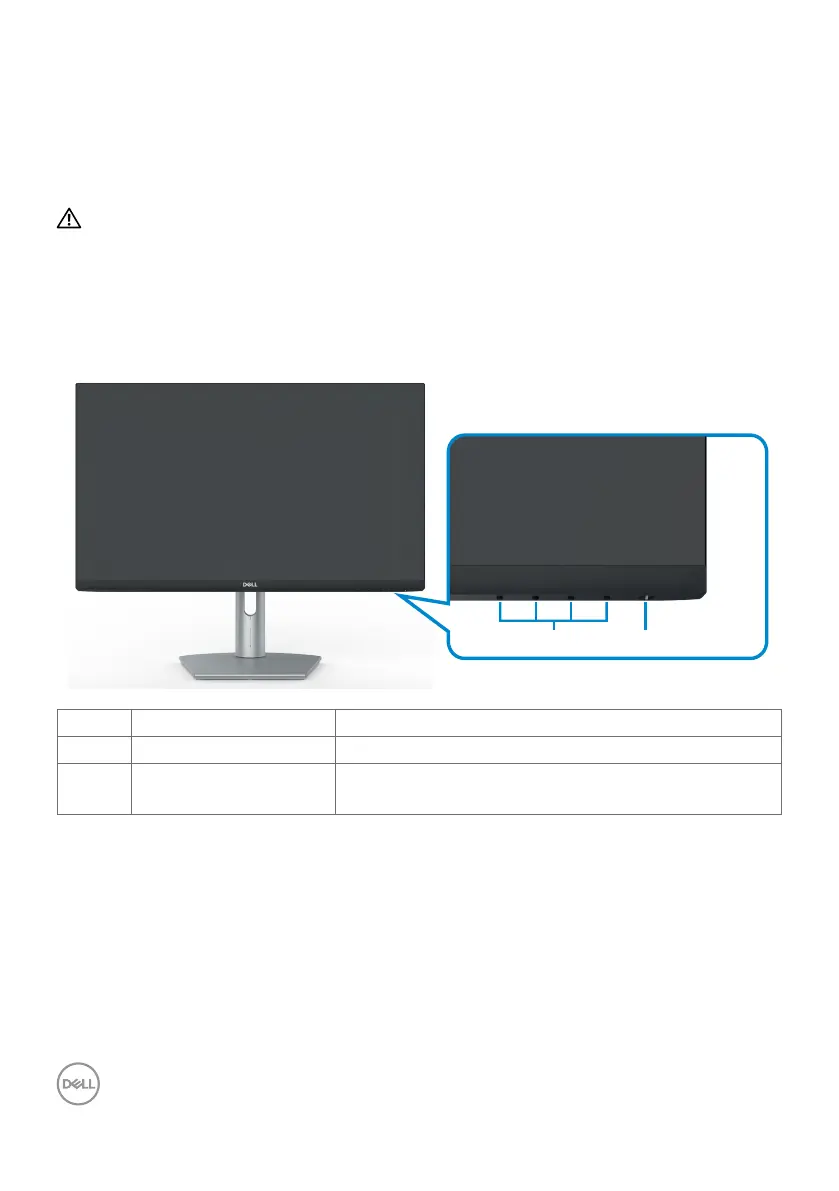
Identifying parts and controls
Front view
1 2
Label Description Use
1 Function buttons For more information, see Operating the Monitor.
2 Power on/off button
(with LED indicator)
To turn the monitor on or off.


 To Next Page