72 Specifications
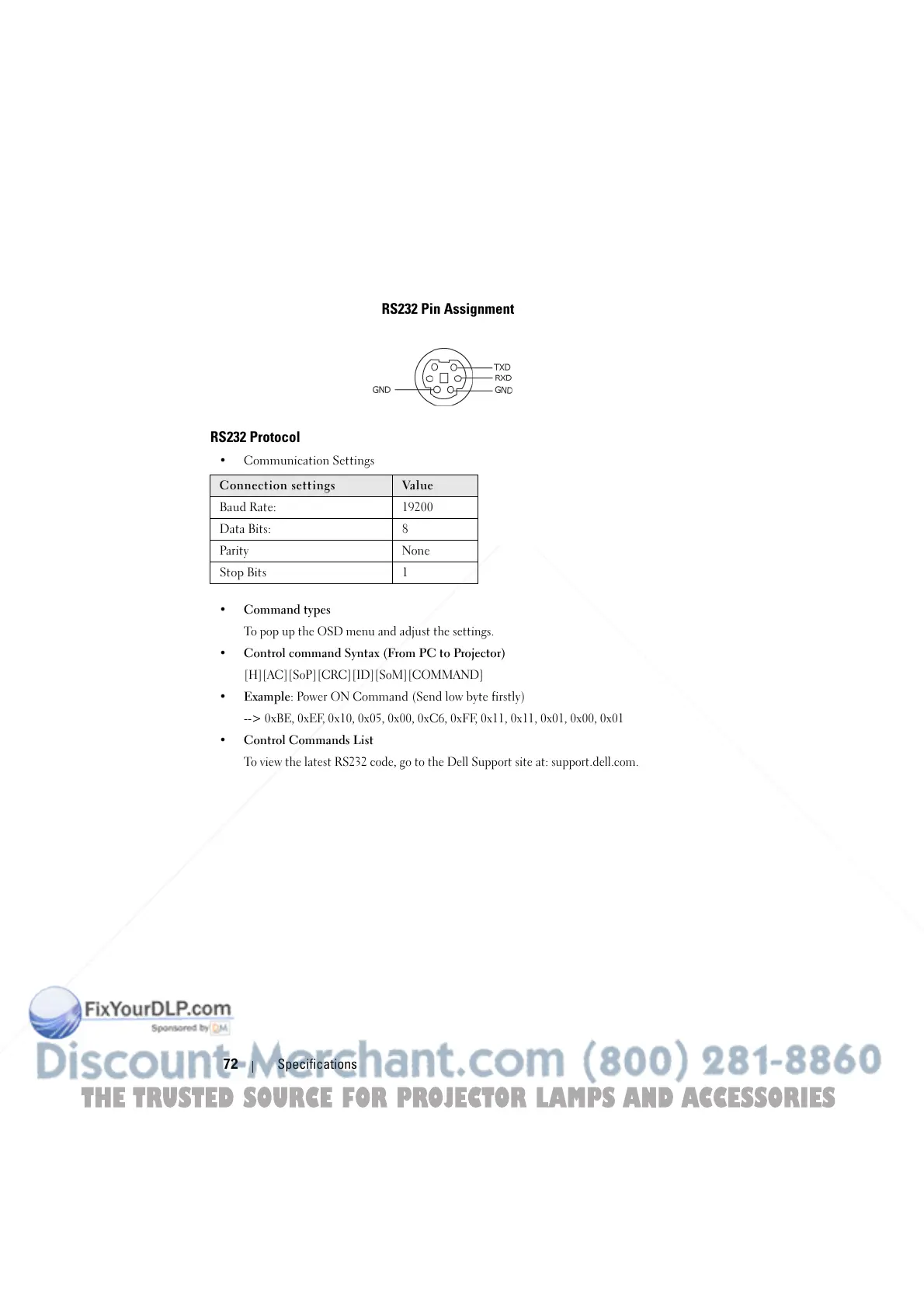
RS232 Pin Assignment
RS232 Protocol
• Communication Settings
• Command types
To pop up the OSD menu and adjust the settings.
• Control command Syntax (From PC to Projector)
[H][AC][SoP][CRC][ID][SoM][COMMAND]
• Example: Power ON Command (Send low byte firstly)
--> 0xBE, 0xEF, 0x10, 0x05, 0x00, 0xC6, 0xFF, 0x11, 0x11, 0x01, 0x00, 0x01
• Control Commands List
To view the latest RS232 code, go to the Dell Support site at: support.dell.com.
Connection settings Val ue
Baud Rate: 19200
Data Bits: 8
Parity None
Stop Bits 1
THE TRUSTED SOURCE FOR PROJECTOR LAMPS AND ACCESSORIES



 To Next Page