34 Using Your Projector
Using the On-Screen Display
•
The projector has a multi-language On-Screen Display (OSD) Menu that
can be displayed with or without an input source.
•
Press the Menu button on the remote control to enter the Main Menu.
•
To navigate through the tabs in the Main Menu, press the or
buttons on the remote control.
•
To select a submenu, press the or button on the remote control.
•
To select an option, press the or buttons on the remote control.
When an item is selected, the color changes to dark blue.
•
Use the or buttons on the remote control to adjust the settings.
•
To go back to the Main Menu, press the button on the remote control.
•
To exit the OSD, press the Menu button directly on the remote control.
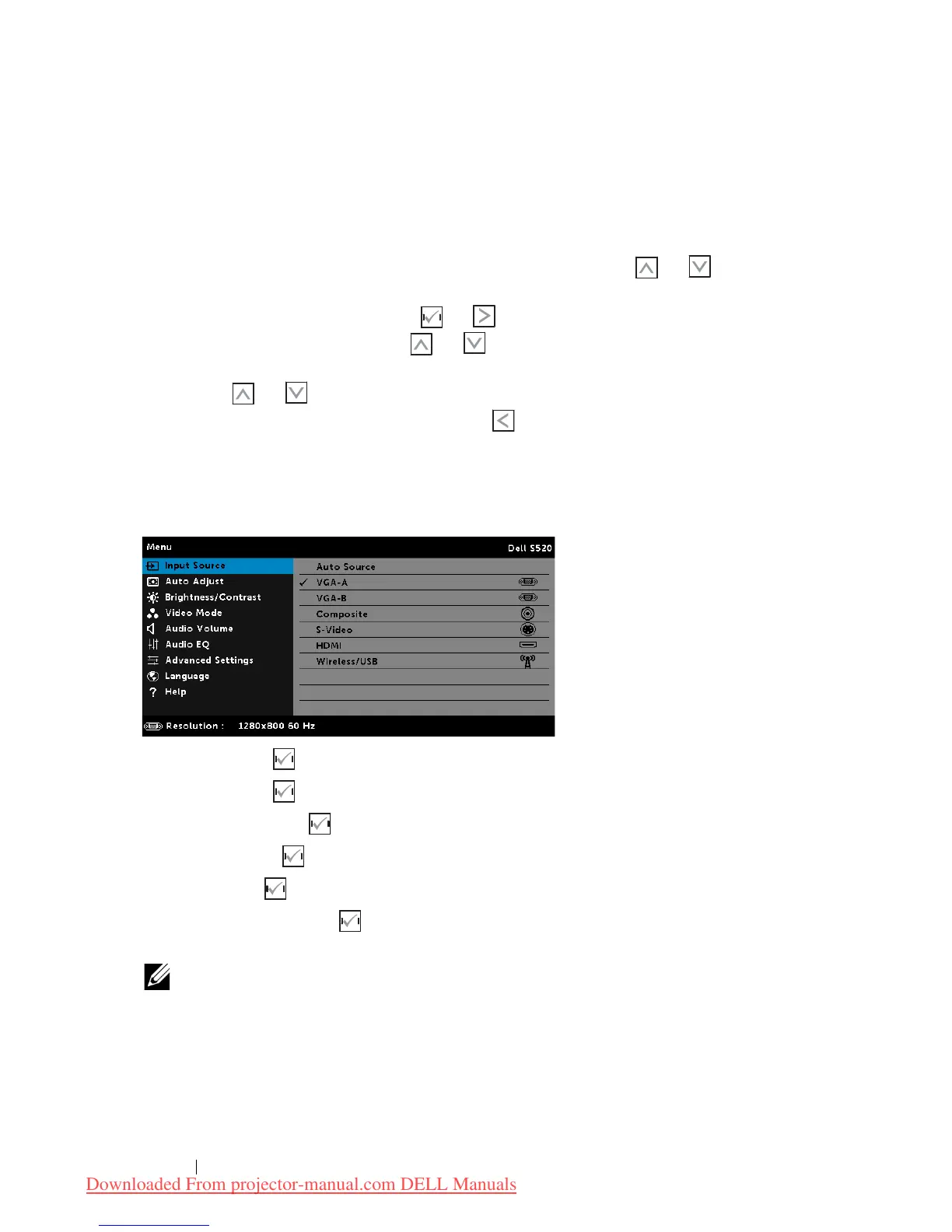
INPUT SOURCE
The Input Source menu allows you to select your projector's input source.
VGA-A—Press to detect a VGA-A signal.
VGA-B—Press to detect a VGA-B signal.
COMPOSITE—Press to detect a Composite Video signal.
S-VIDEO—Press to detect a S-Video signal.
HDMI—Press to detect a HDMI signal.
WIRELESS/USB—Press to activate the Input Source WIRELESS/USB
menu.
NOTE: The WIRELESS/USB can be used after the "Wireless and LAN"
option is turned on.
Downloaded From projector-manual.com DELL Manuals



 To Next Page