Using Your Projector 61
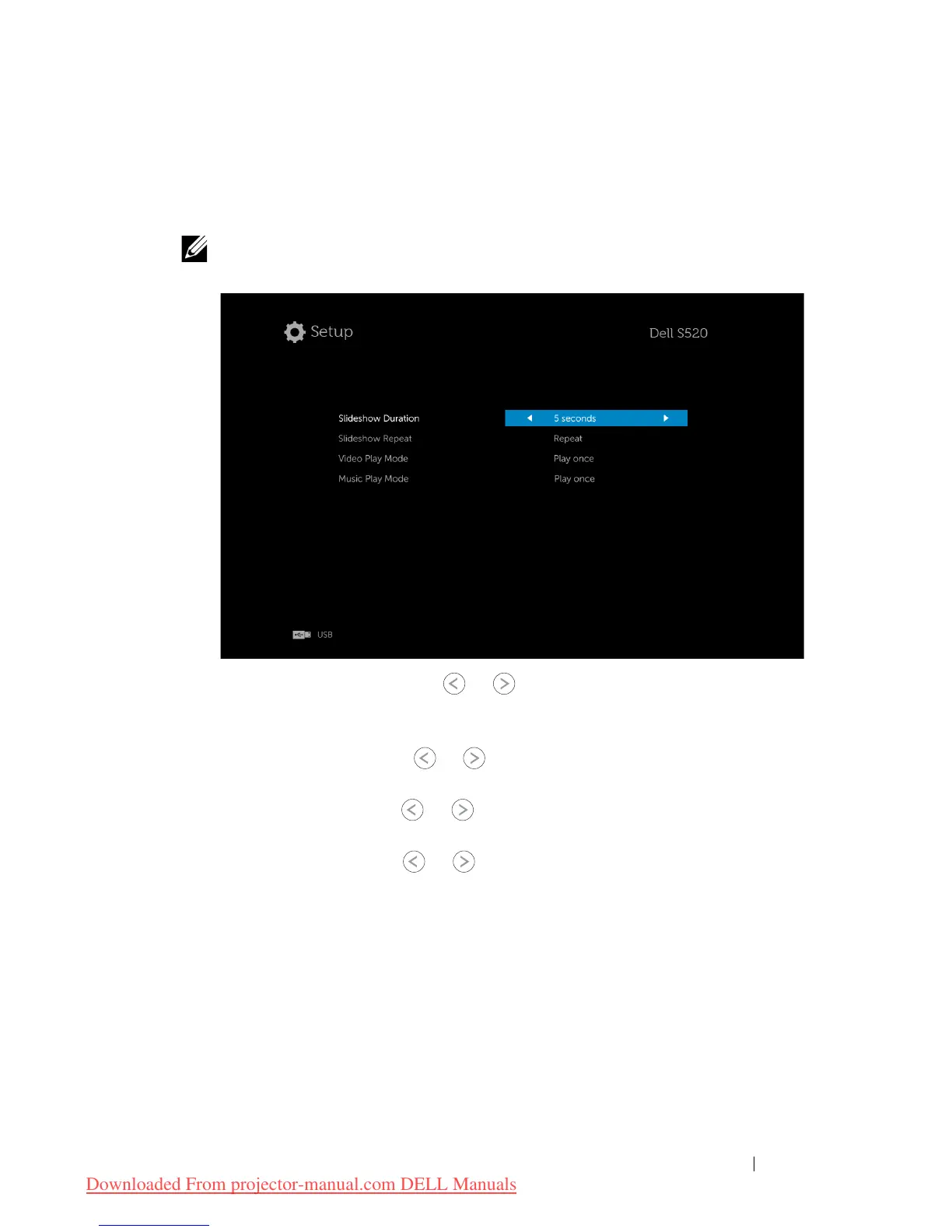
Multimedia SETUP for USB and Internal Memory
The multimedia setup menu allows you to change settings for Photo, Video,
and Music.
NOTE: Multimedia setup menu and set are the same for the USB
and internal memory.
SLIDESHOW DURATION—
Press
or
to select slideshow display interval.
The image will automatically switch to the next photo after the time out.
Options are: 5 seconds, 10 seconds, 30 seconds, and 1 minute.
SLIDESHOW REPEAT—
Press
or
to select slideshow repeat as Repeat or
No Repeat.
VIDEO PLAY MODE—
Press
or
to select movie play mode. Options are:
Play once
,
Repeat item
,
Repeat folder
, and
Shuffle
.
MUSIC PLAY MODE—
Press
or
to select movie play mode. Options are:
Play once
,
Repeat item
,
Repeat folder
, and
Shuffle
.
Downloaded From projector-manual.com DELL Manuals



 To Next Page