92 Using Your Projector
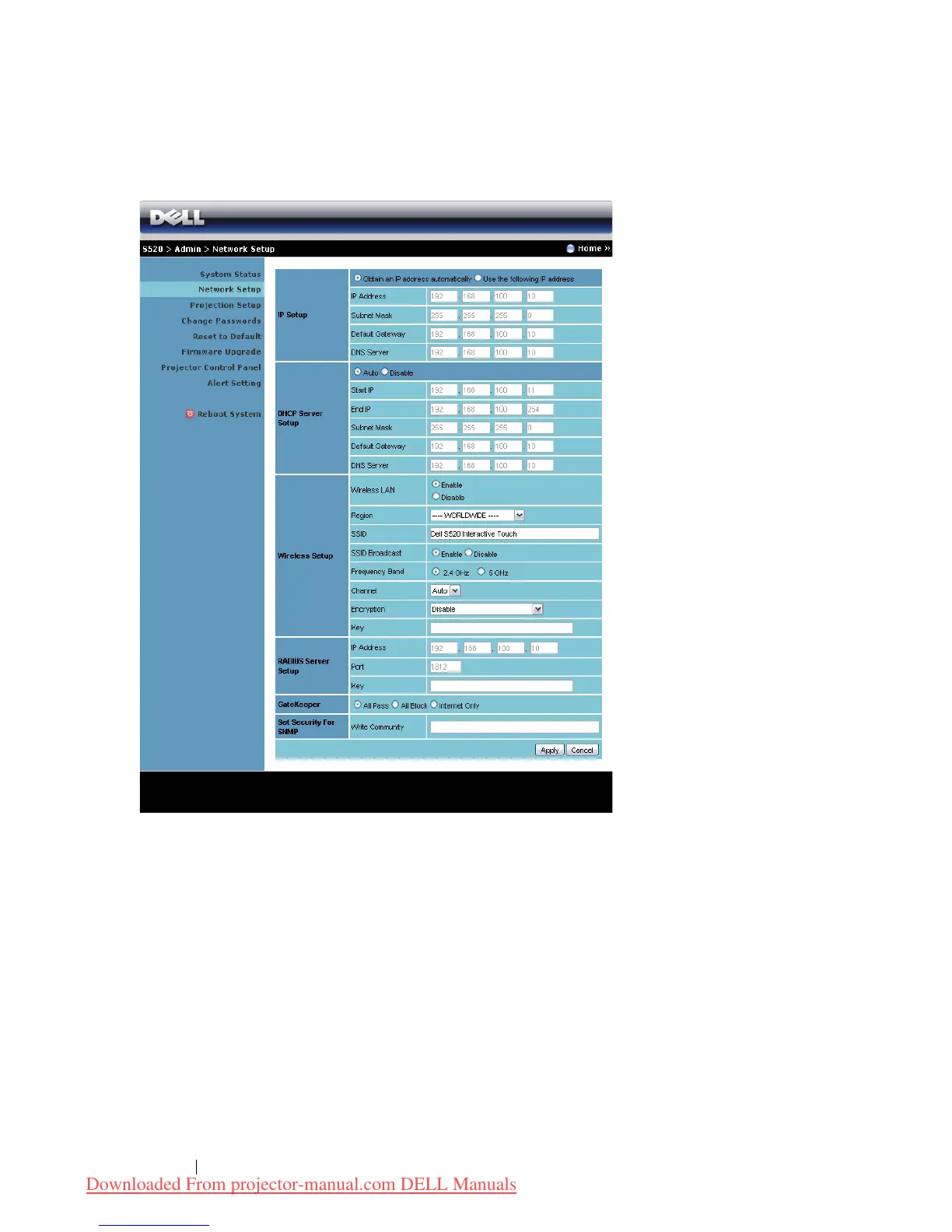
Network Status
See OSD section on page 46.
IP Setup
• Choose
Obtain an IP address automatically
to assign an IP address to
the projector automatically, or
Use the following IP address
to assign
an IP address manually.
DHCP Server Setup
• Choose
Auto
to automatically set up the
Start IP
,
End IP
,
Frequency
Band
,
Subnet Mask
,
Default Gateway
, and
DNS Server
address from a
DHCP server, or
Disable
to disable this function.
Downloaded From projector-manual.com DELL Manuals



 To Next Page