94 Using Your Projector
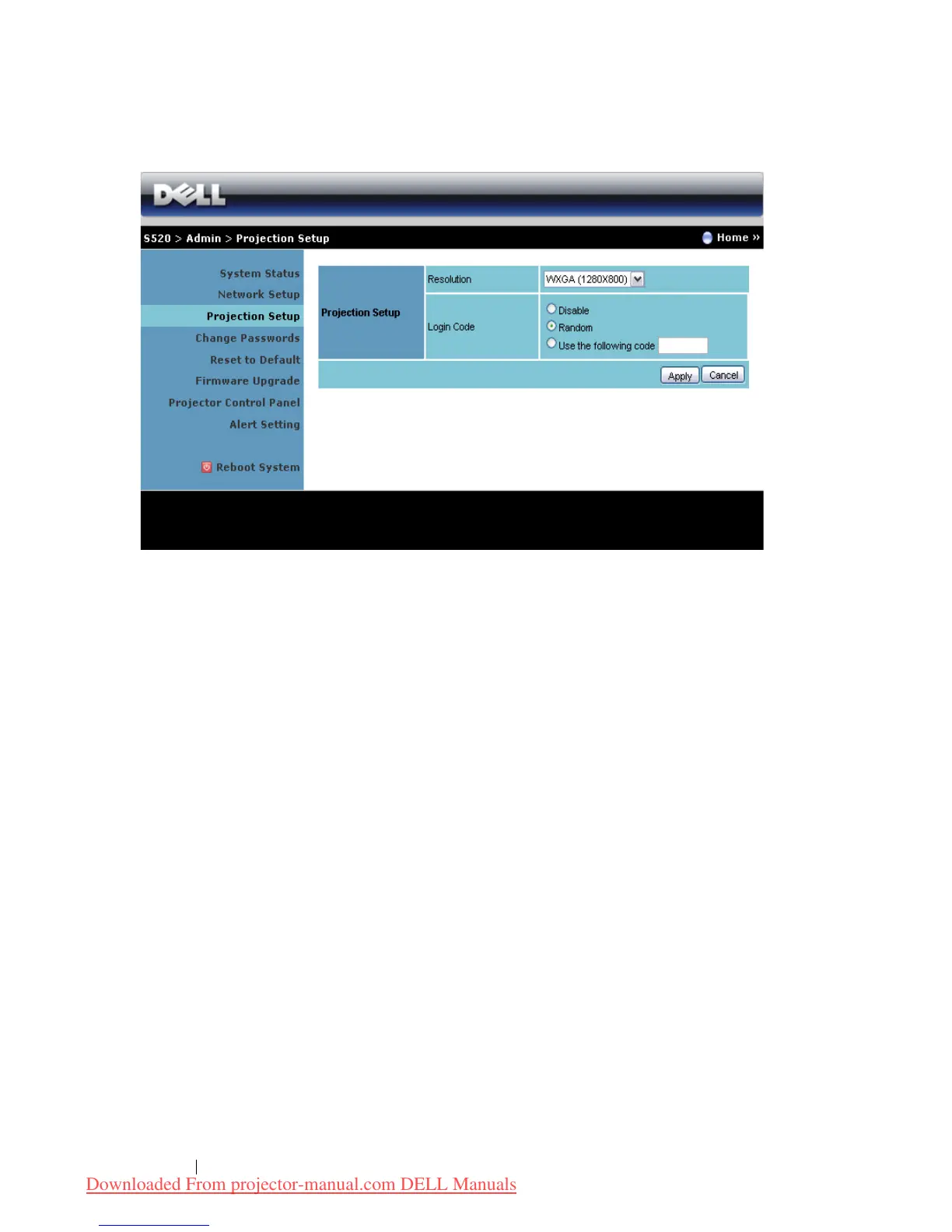
Projection Setup
Projection Setup
•
Resolution
: Allows you to select the resolution. Options are: XGA
(1024 x 768) and WXGA (1280 x 800).
•
Login Code
: Select how you want the login code to be generated by
the projector. There are three options:
•
Disable
: Login code will not be required when logging in to the
system.
•
Random
: Default is
Random
. Login code will be randomly
generated.
•
Use the following code
: Enter a 4-digit code. This code will be
used to log in to the system.
Click the
Apply
button to save and apply changes. The projector must be
restarted for the changes to take effect.
Downloaded From projector-manual.com DELL Manuals



 To Next Page