Connecting Wireless Display Adapter 31
Installing Wireless Display Adapter
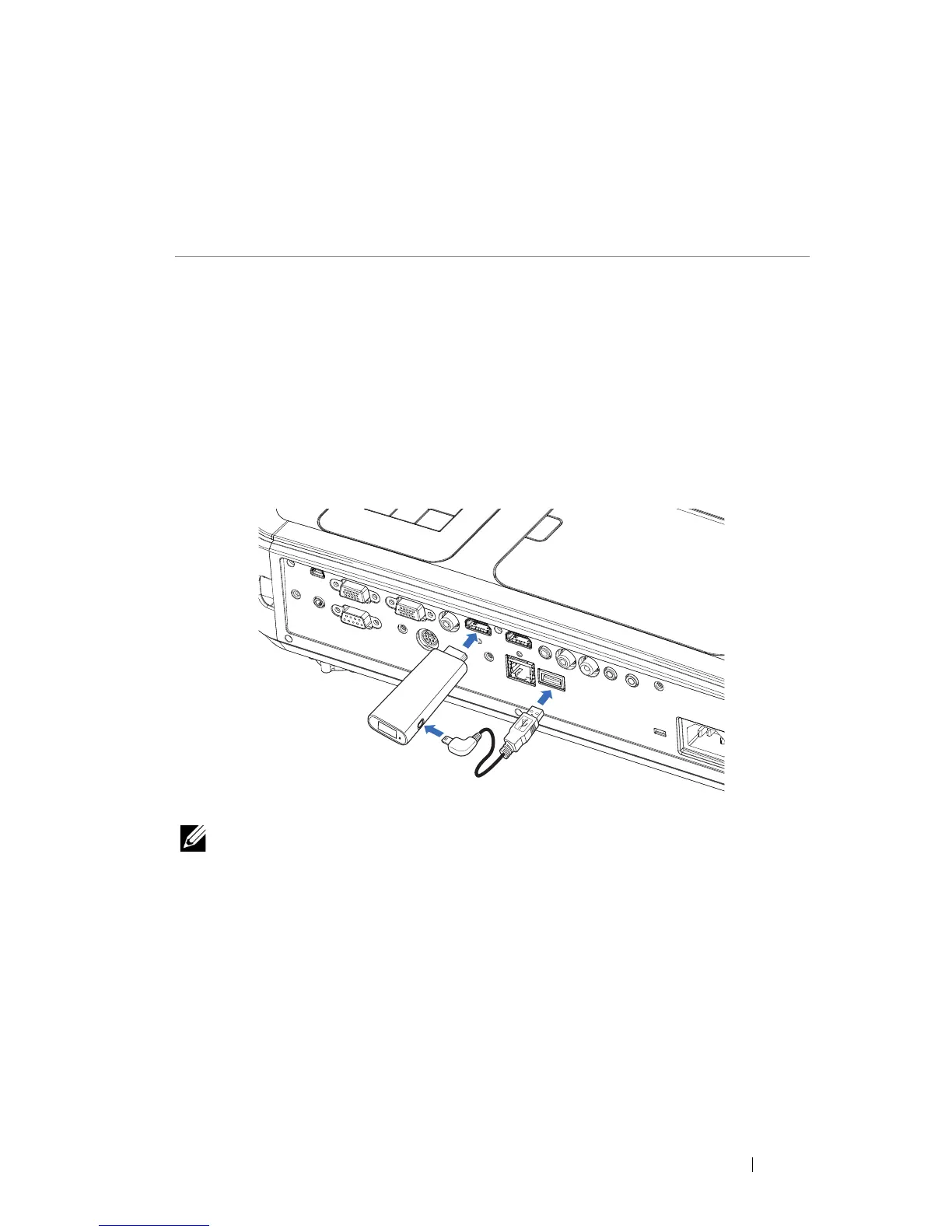
Your projector has HDMI and USB power port for wireless display adapter.
The wireless display adapter is not shipped with your S560P/S560T.
The installation steps are as below:
1
Make sure projector is already powered off.
2
Attach the power USB cable to the wireless display adapter and then attach
the wireless display adapter.
NOTE: The power USB cable is shipped with wireless display
adapter and not shipped with your projector.
4
Connecting Wireless Display
Adapter



 To Next Page