Getting Started With Your System 5
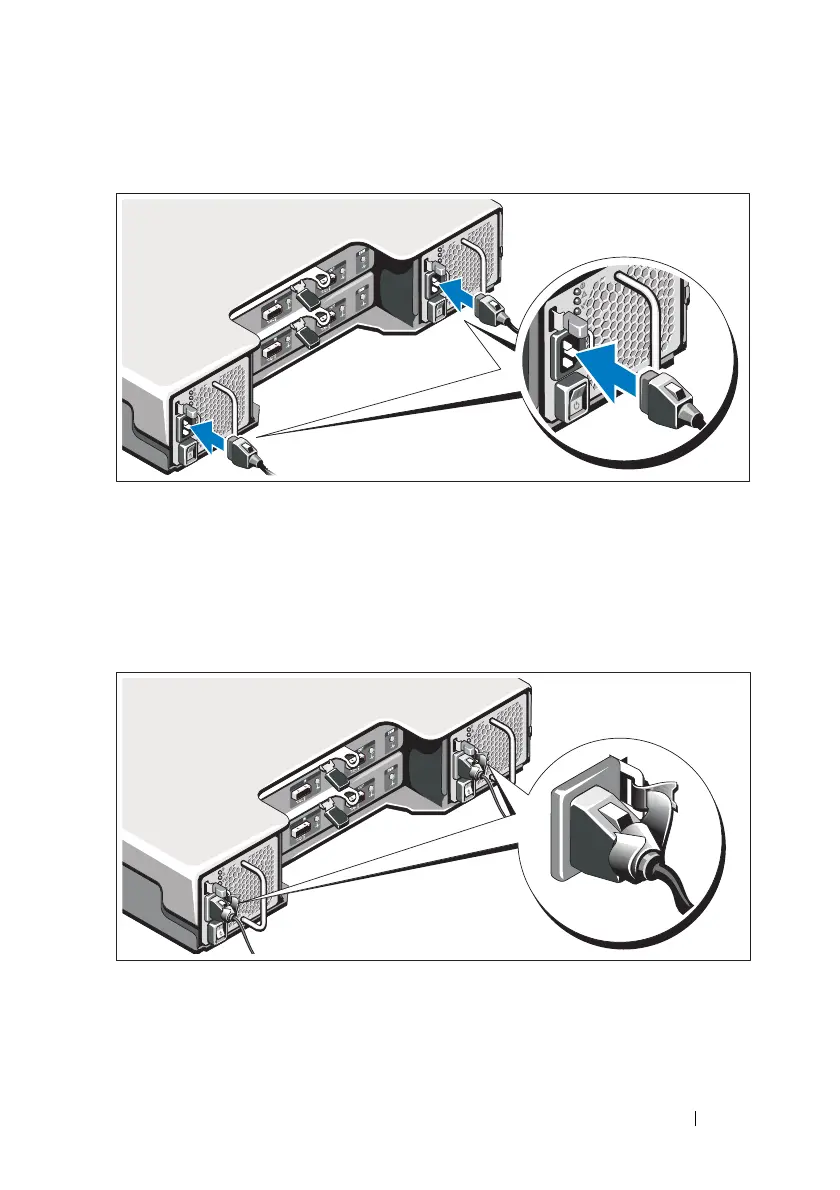
Connecting the Power Cables
1
Ensure that the power switch is in the OFF position before connecting
the power cables.
2
Connect the enclosure power cables to the rack power.
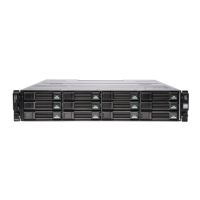
Securing the Power Cables
1
Bend the power cables as shown in the illustration and secure the
cables firmly to the bracket using the strap provided.










 To Next Page