About your m | r otino 7
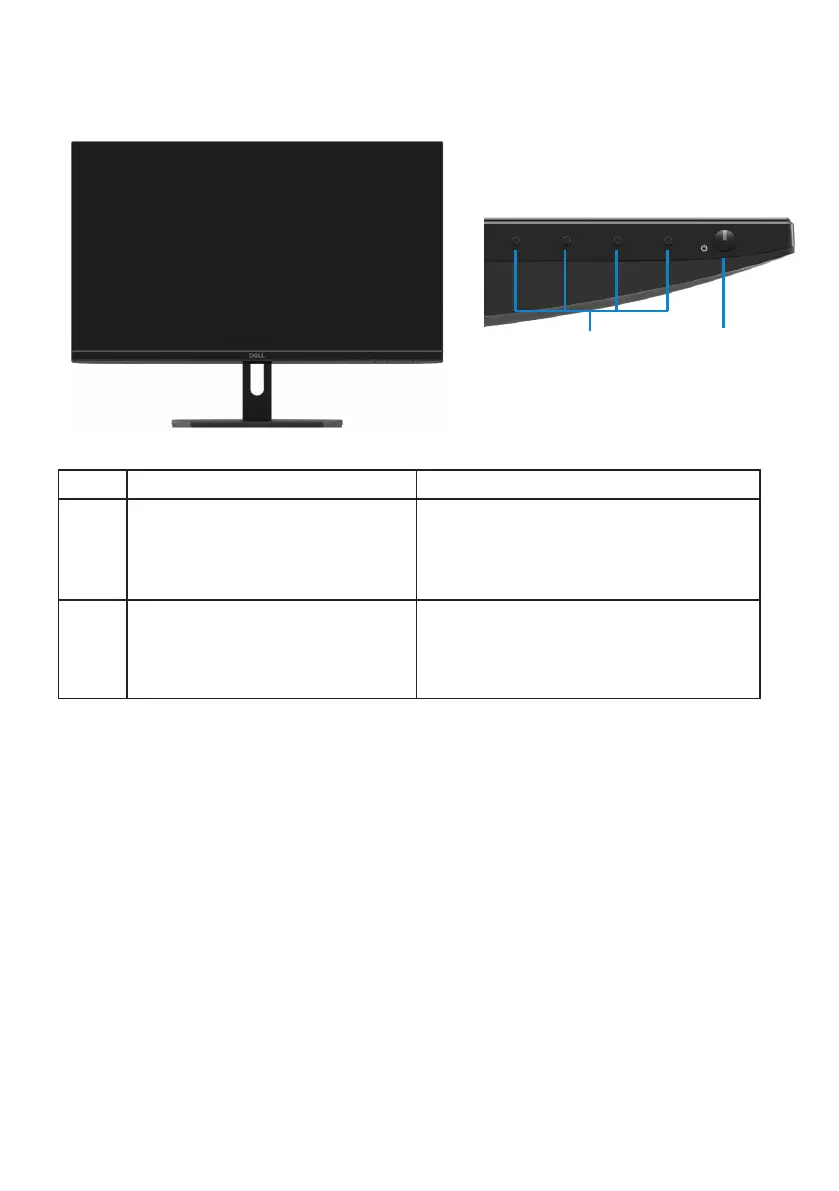
Identifying features and controls
Front view
Label Description Use
1 Function buttons
To access the On-screen Display
(OSD) menu and change the settings
if required. (For more information,
see Using the front panel controls)
2
2
1
Power On/Off button
(with LED indicator)
To turn the monitor On or Off.



 To Next Page