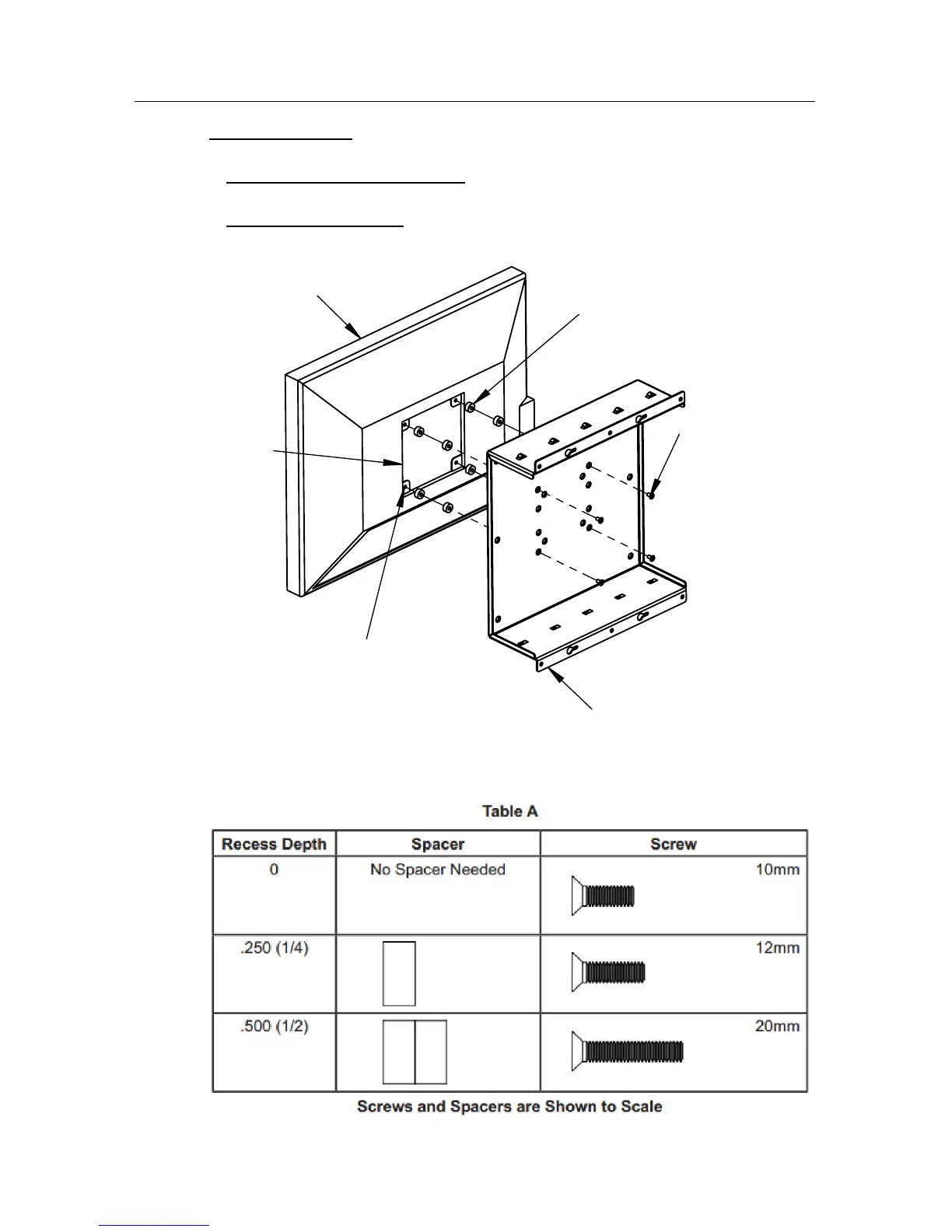
Main Bracket
(4) Metric
Screws
(See Table below)
Spacers
(See Table below)
Recess
VESA Hole Pattern
Monitor
Step 4
Monitor Attachment:
Turn the monitor face down on a large flat surface. Locate the
four VESA mounting holes on the rear of the monitor.
a.
Determine if spacers are required
: Some monitors have a "recess" on the rear
surface. Spacers are provided to fill this gap. See Table A for spacer length options.
b.
Determine Screw Length
: Only use the metric M4 screws provided. Screw length is
determined by the spacers used (see Table A).
Installation Instructions
Page 3










 To Next Page