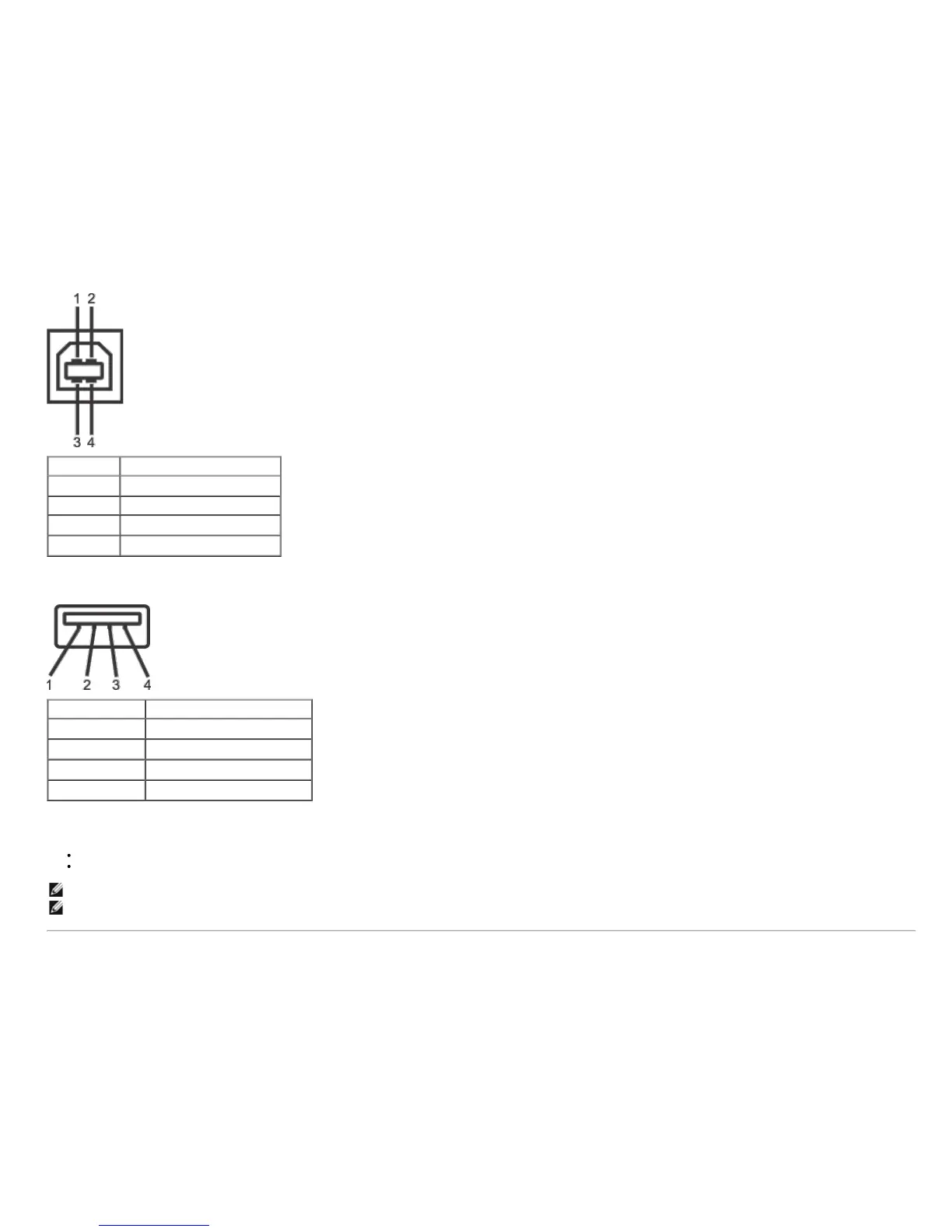
Pin Number 4-pin Side of the Connector
1
DMU
2 VCC
3
DPU
4
GND
USB Downstream Connector
Pin Number 4-Pin Side of the Signal Cable
1
VCC
2
DMD
3
DPD
4
GND
USB Ports
1 upstream - back
4 downstream - 2 on back; 2 on left side
NOTE: USB 2.0 functionality requires a USB 2.0-capable computer
NOTE: The monitor's USB interface works only when the monitor is on or in power save mode. If you turn off the monitor and then turn it on, the attached peripherals may take
a few seconds to resume normal functionality.


 To Next Page