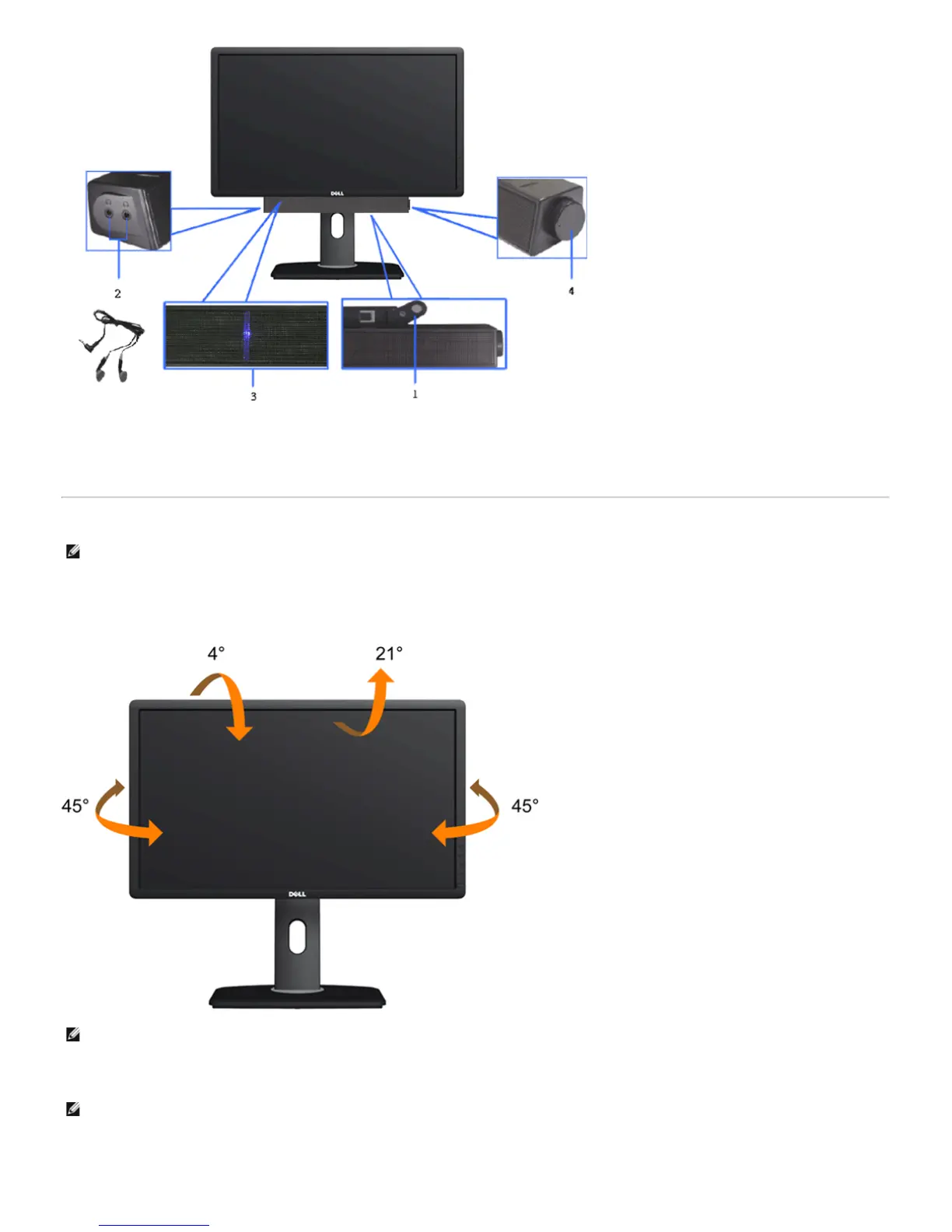
1. Attach mechanism
2. Headphone jacks
3. Power indicator
4. Power/Volume control
Using the Tilt, Swivel, and Vertical Extension
NOTE: This is applicable for a monitor with a stand. When any other stand is bought, please refer to the respective stand setup guide for set up
instructions.
Tilt, Swivel
With the built-in pedestal, you can tilt the monitor for the most comfortable viewing angle.
NOTE: The stand is detached when the monitor is shipped from the factory.
Vertical Extension
NOTE: The stand extends vertically up to 130 mm. The figures below illustrate how to extend the stand vertically.


 To Next Page