EasyManua.ls Logo

Dell U2410 - Page 20

Dell U2410
43 pages
Print Icon
To Next Page IconTo Next Page
To Previous Page IconTo Previous Page
Loading...
l HDMI input
l Component video input
l Composite video input
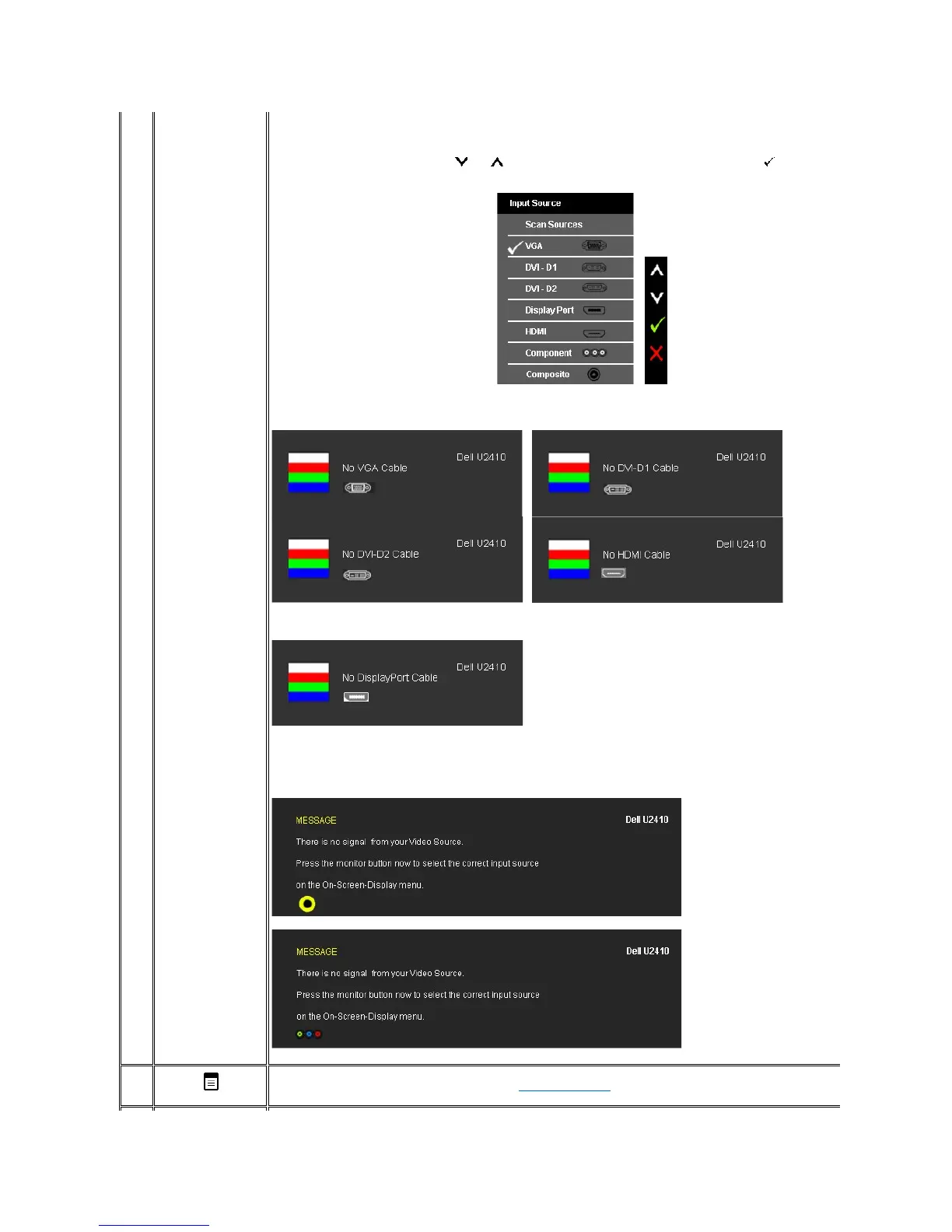
Displays the source selection bar. Touch and buttons to move between the setting options and Touch
to select the input
source you want.
If VGA or DVI-D or DisplayPort or HDMI input is selected and all VGA and DVI-
D and DisplayPort and HDMI cables are not connected, a
floating dialog box as shown below appears.
or

If either Composite, or Component input is selected and the cables are not connected or the video source is turned off, the screen does
not have an image. If any button is Touched (except power button), the monitor displays the following message:
or
or
or
4
OSD Menu
Use this key to open the on-screen display (OSD). See Using the OSD Menu.

Related product manuals