Setting Up the Monitor | 45
Rated power (on laptops that have
USB-C with Power Delivery)
Maximum charging power
45 W 45 W
65 W 65 W
90 W 90 W
130 W Not supported
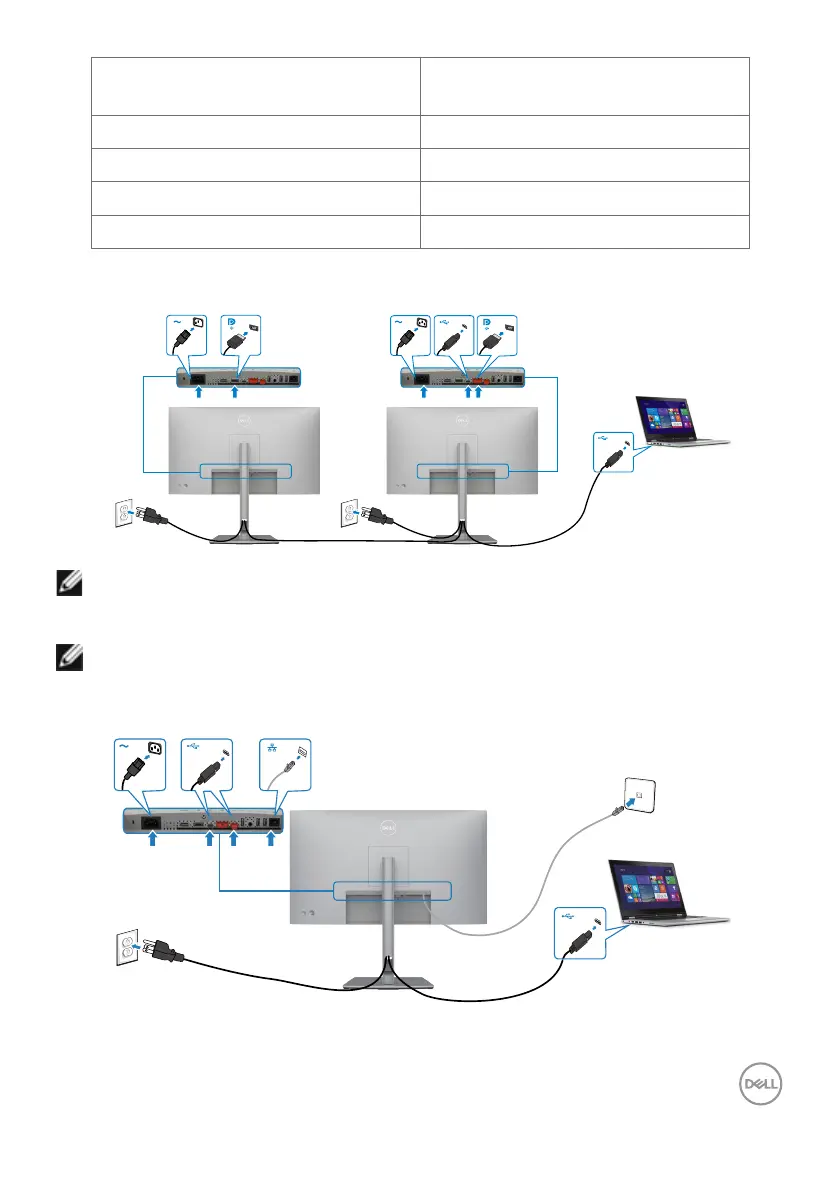
Connecting the Monitor for USB-C Multi-Stream Transport (MST) Function
NOTE: The maximum number of supported U2722DE via MST is subjected
to the bandwith of the USB-C source. Please refer to “product specific
problems –No image when using USB-C MST”.
NOTE: Remove the rubber plug when using DP out connector.
Connecting the Monitor for RJ45 Cable (Optional)












 To Next Page