Operating the monitor │ 59
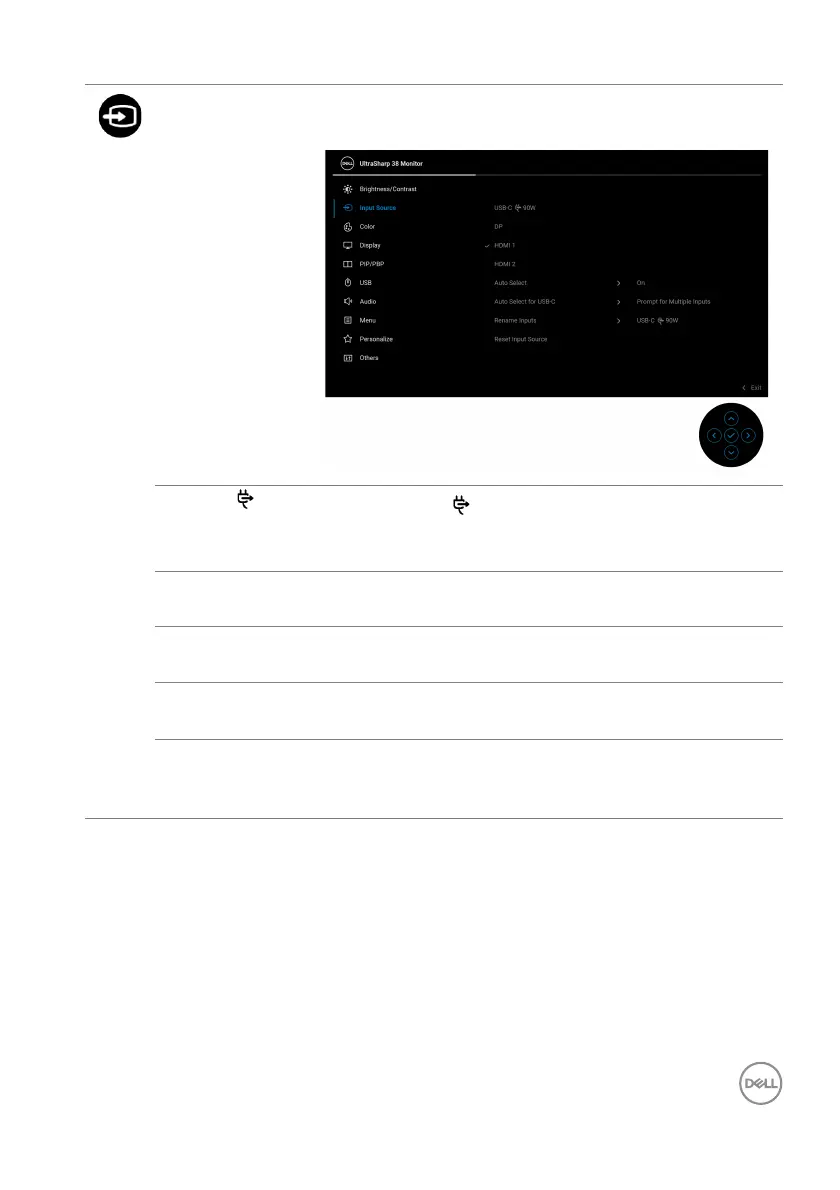
Input Source Select between the different video signals that may
be connected to your monitor.
USB-C 90W
Select USB-C
90W when you are using the USB
Type-C connector. Press the joystick to confirm the
se
lection.
DP Select DP whe
n you are using the DisplayPort (DP)
connector. Press the joystick to confirm the selection.
HDMI 1 Select HDM
I 1 when you are using the HDMI 1
connector. Press the joystick to confirm the selection.
HDMI 2 Select HDM
I 2 when you are using the HDMI 2
connector. Press the joystick to confirm the selection.
Auto Select Automatically scans for available input sources. The
de
fault is On. Press the joystick to confirm the
selection.













 To Next Page