64 │ Operating the monitor
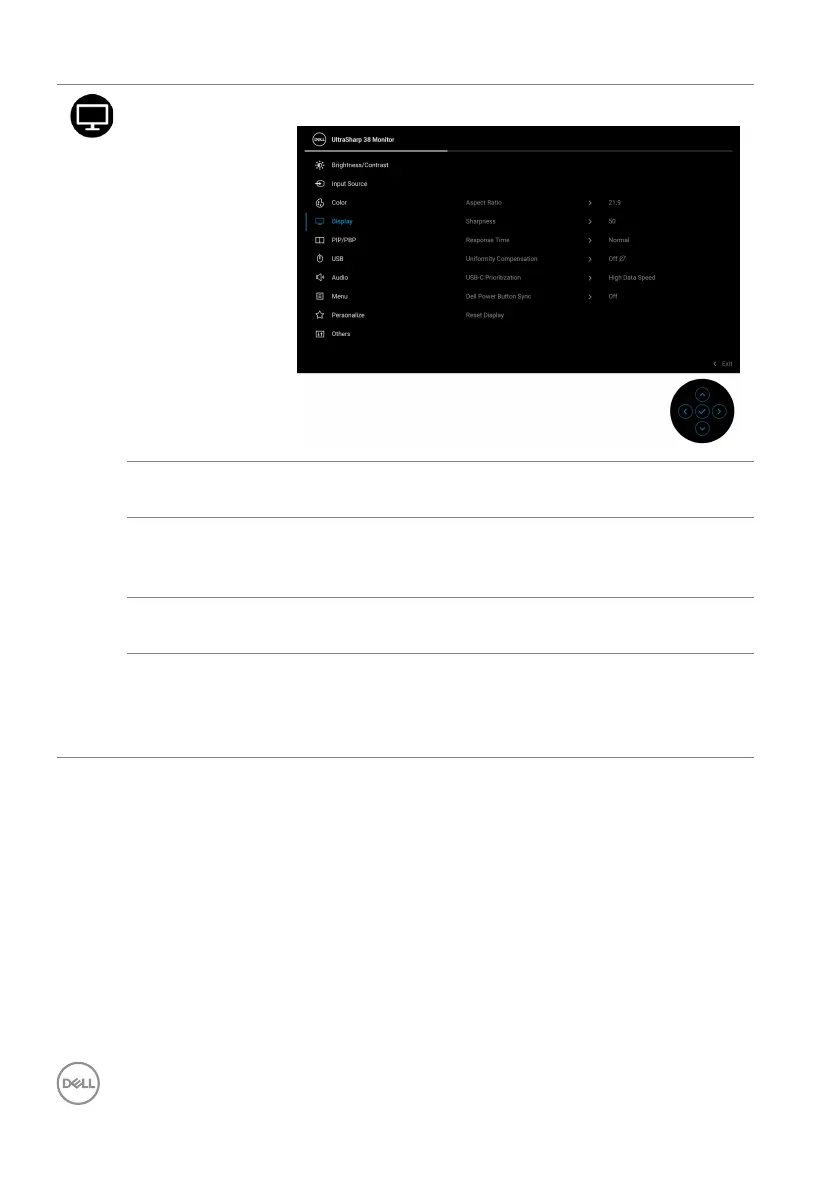
Display Use Display to adjust the images.
Aspect Ratio Adjusts the image ratio to 21:9, Auto Resize, 4:3, or
1:1.
Sharpness This feature can make the image look sharper or
so
fter. Move the joystick to adjust the sharpness level
from '0' to '100'.
Response Time Allows you to set the response time to Norm
al or
Fast.
Uniformity
Comp
ensation
Select screen uniformity compensation settings.
Uniformity Compensation adjusts different areas of
the screen with respect to the center to achieve
uniform brightness and color over the entire screen.













 To Next Page