4 Press the arrow buttons to select the number of copies, and then press the Color/Black button to set a color or
black-and-white copy.
When you select color or black-only printing, the light near your choice comes on.
5 Press to print on one side of the paper.
6 Load the next page of the document.
• If you are copying a one-sided document, then load the next page faceup into the ADF or facedown on the
scanner glass.
• If you are copying a two-sided document, then flip the original document, and then reload it faceup into the
ADF or facedown on the scanner glass.
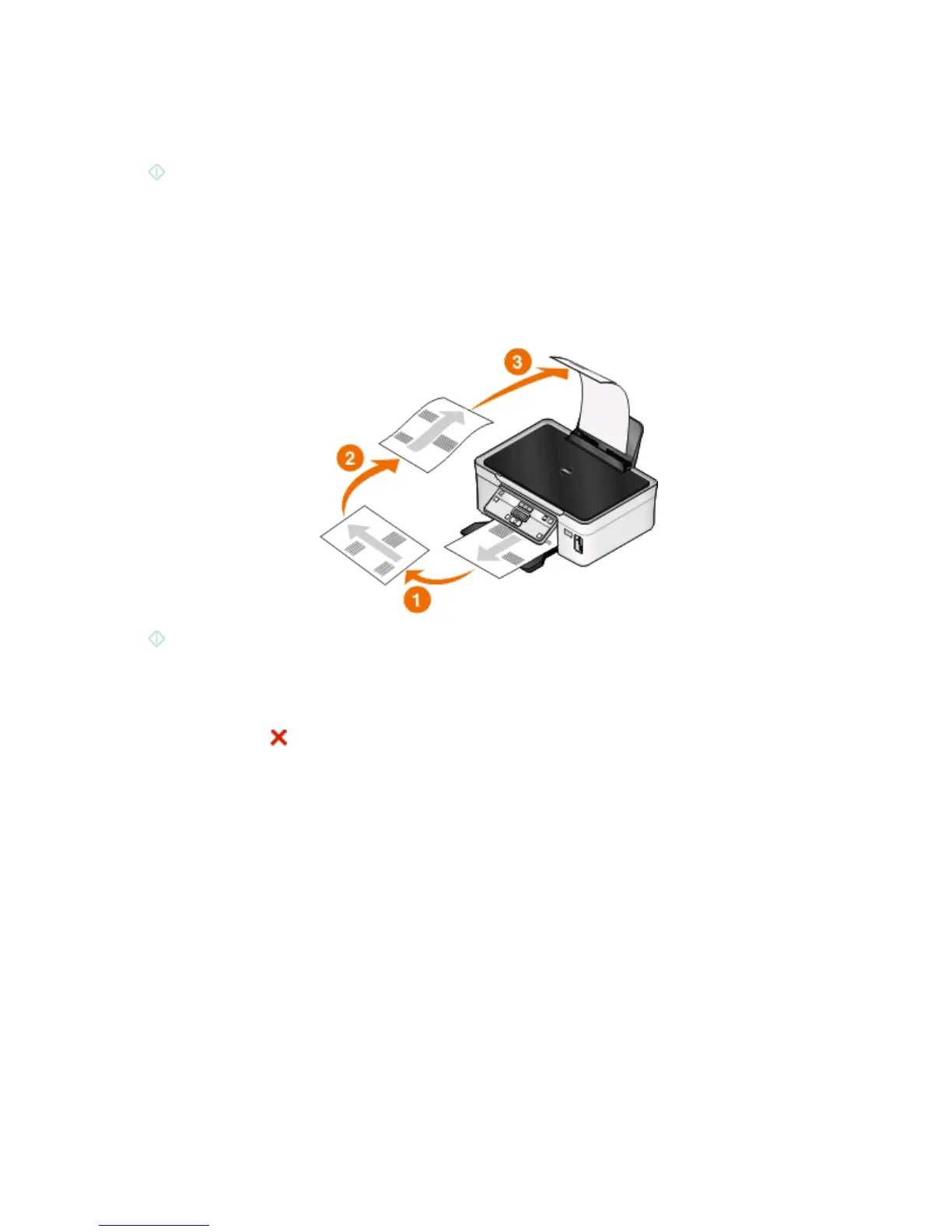
7 Remove the paper from the paper exit tray, and then reload the paper to print the other side of the document.
8 Press .
Canceling copy jobs
To cancel a copy job, press .
Scanning stops and the printer returns to the previous menu.
Copying
54













 To Next Page