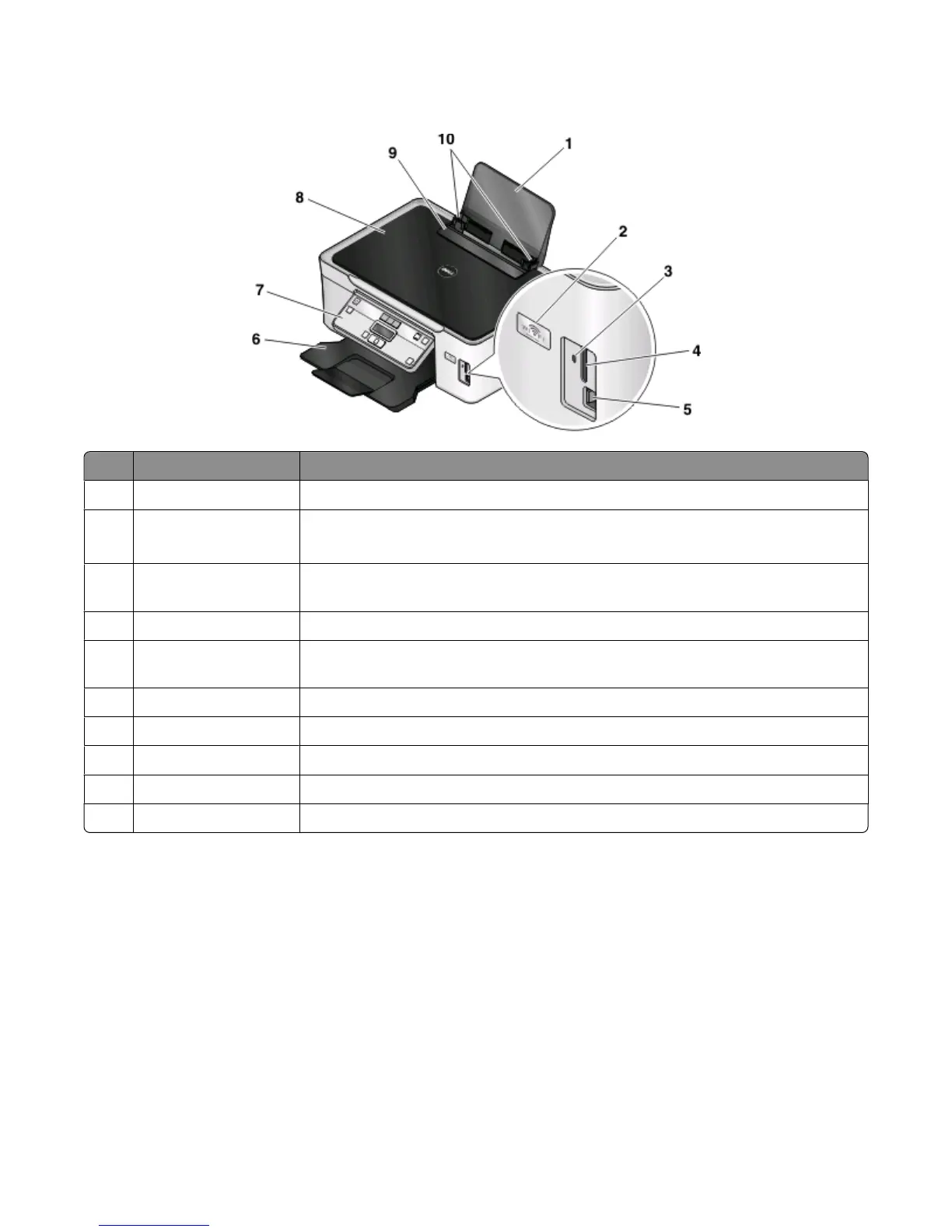
Understanding the parts of the printer
Use the To
1
Paper support Load paper.
2
Wi-Fi indicator Check wireless status.
Note: This feature is available in selected models only.
3 Card reader light Check card reader status. The light blinks to indicate that a memory card is being
accessed.
4
Memory card slots Insert a memory card.
5 PictBridge and USB port Connect a PictBridge-enabled digital camera, USB Bluetooth adapter, or a flash drive to
the printer.
6 Paper exit tray Hold paper as it exits.
7
Printer control panel Operate the printer.
8
Top cover Access the scanner glass.
9
Paper feed guard Prevent items from falling into the paper slot.
10
Paper guides Keep paper straight when feeding.
About your printer
9













 To Next Page