3 Press to turn the printer back on.
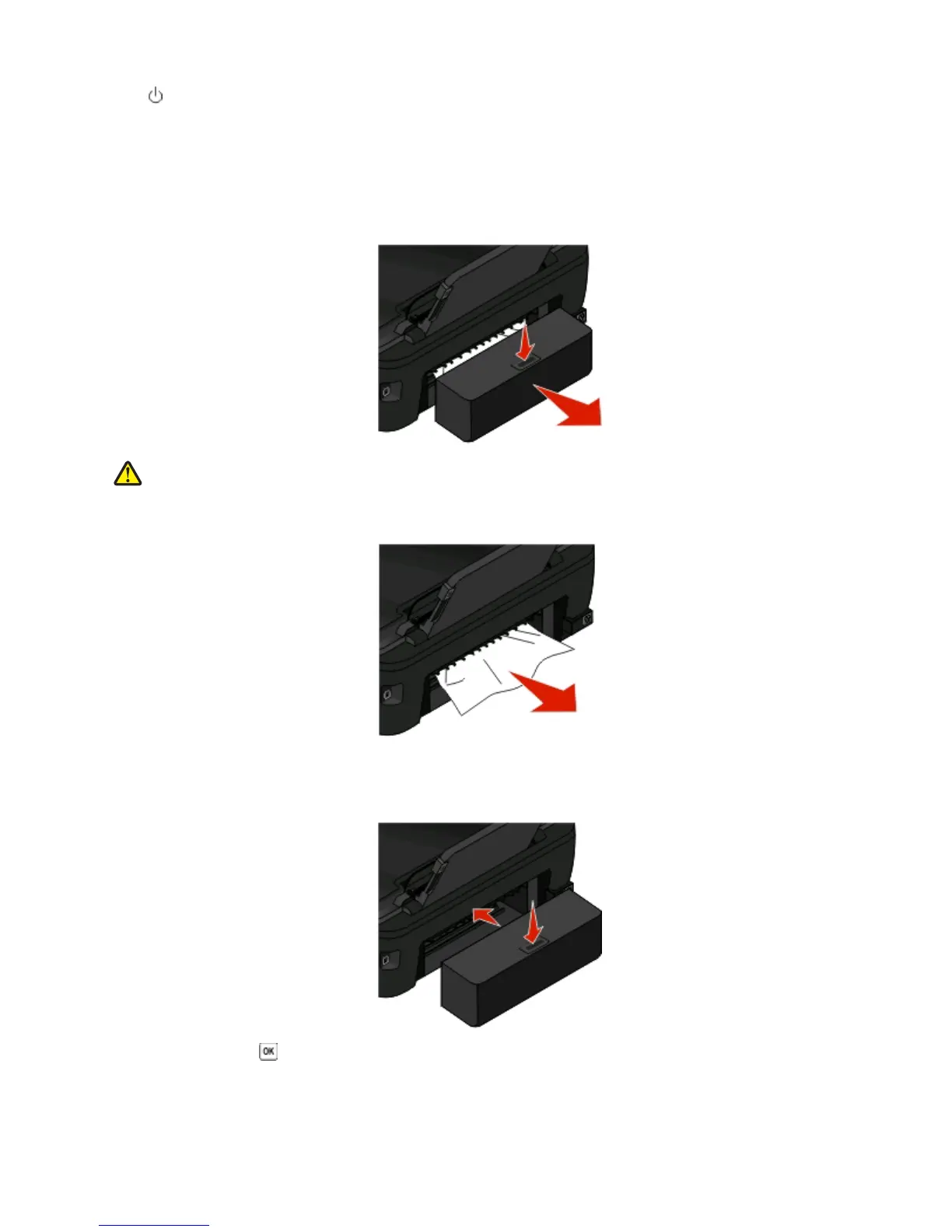
Paper jam in the duplex unit
Note: The parts inside the printer are sensitive. Avoid unnecessarily touching these parts while clearing jams.
1 Push down the duplex latches and pull out the duplex unit.
CAUTION—POTENTIAL INJURY: The area behind the duplex cover has protruding ribs as part of the paper
path. To avoid injury, use caution when accessing this area for clearing a paper jam.
2 Firmly grasp the paper, and then gently pull it out.
Note: Be careful not to tear the paper while removing it.
3 Reinsert the duplex unit.
4 Touch DONE or press , depending on your printer model.
5 From your computer, resume the print job.
Troubleshooting
95













 To Next Page