Getting to Know Your Dell™ Venue Pro 7
Getting to Know Your Dell™
Venue Pro
This section provides information about the features available on your
Dell Venue Pro phone.
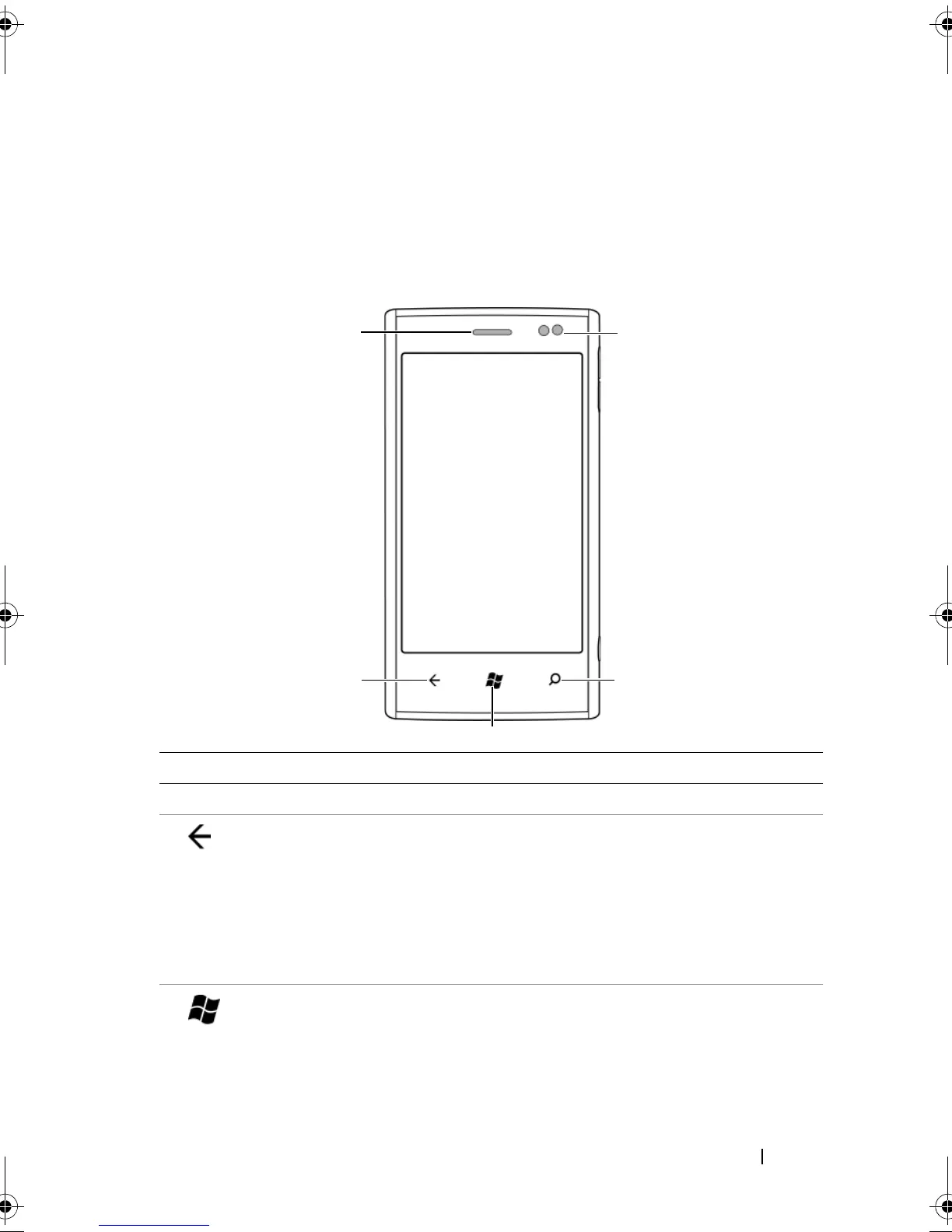
Feature Function(s)
1 Earpiece Use to listen to phone conversations.
2 Back
Touch to:
• Return to the previous screen or web
page.
• Cancel an operation.
• Close an on-screen keyboard or a
menu.
3 Start
• Touch to return to the Start screen
from anywhere on the phone,
including from a running application.
• Touch and hold for speech commands.
bk0.book Page 7 Monday, November 8, 2010 4:26 PM



 To Next Page