Applications 85
Calendar
Use the calendar to schedule and manage your events and
appointments. You can also send meeting notices to others using e-
mail.
To open the calendar
Touch Start → applications → Calendar
.
To use the calendar
Touch Start → applications → Calendar
.
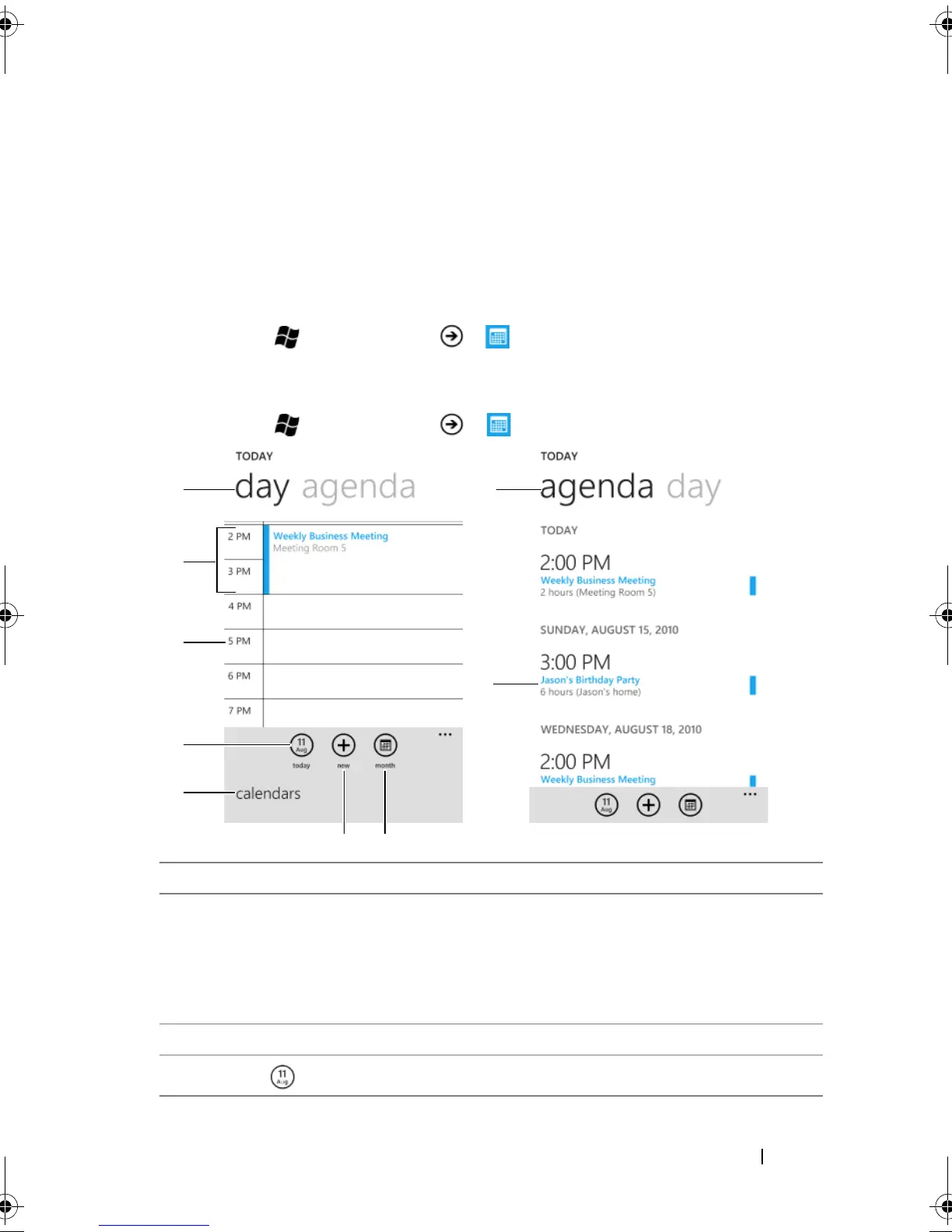
1 Flick to day to view the daily calendar.
2 • Touch an appointment to view the details. The color bar indicates the
duration of the event.
• Touch and hold an appointment and from the context menu that
appears, choose to edit or delete the appointment, or reply to the
attendees of the appointment.
3 Touch an empty time slot to create a new appointment.
4
Touch to display today on the calendar.
bk0.book Page 85 Monday, November 8, 2010 4:26 PM


 To Next Page