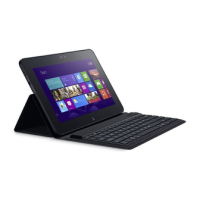
What to do if my Dell Tablet battery does not charge?
E
Emily MatthewsAug 20, 2025
If your Dell Tablet battery isn't charging, it could be due to several reasons. The battery or charger might be damaged, in which case, contact the dealer. If the tablet's temperature is below 0°C or above 45°C, attempt charging within the 0°C to 45°C range. Also, ensure the USB cable and charging plug are correctly connected to avoid poor contact between the battery and charger.
D
Danielle KellyAug 22, 2025
What to do if my Dell Tablet is unable to turn on?
C
cfryAug 22, 2025
If your Dell Tablet is unable to turn on, the battery might be empty; charge the tablet. If charging doesn't help, the tablet system may be corrupted. Also, the battery contacts might be dirty, seek your dealer's help to clean the contacts.
M
Michael GuerreroAug 25, 2025
Why I cannot make outgoing calls on my Dell Tablet?
R
ryanburnsAug 25, 2025
There could be several reasons why you can't make outgoing calls on your Dell Tablet. First, ensure a valid SIM card is installed. If the signal is weak, move to an open space or closer to a window. Check if Airplane mode is enabled and disable it by pressing and holding the Power button. Also, verify that Call barring and Fixed Dialing Numbers features are deactivated in your call settings.
M
Melissa BowmanAug 26, 2025
What to do if my Dell Tablet has poor reception?
B
Brittany GutierrezAug 26, 2025
If your Dell Tablet has poor reception, the network signal may be weak at your current location. Try moving to a location where the network signal can be received properly. It's also possible that the network is currently busy; wait a short duration and try calling again. If you are too far from a base station, request a service area map from your service provider.
I
iwallaceAug 27, 2025
What to do if my Dell Tablet says SIM card error?
M
Michael VargasAug 27, 2025
If your Dell Tablet is showing a SIM card error, it could be due to a few reasons. The SIM card might be malfunctioning or damaged, in which case, take it to your service provider for testing. Alternatively, the SIM card may be inserted improperly, so ensure it is correctly inserted. Also, the SIM card's metal contacts may be dirty; clean them with a soft, dry cloth.
C
coreybrennanAug 29, 2025
Why I cannot answer incoming calls on my Dell Tablet?
S
Susan KochAug 29, 2025
If you cannot answer incoming calls on your Dell Tablet, it could be due to a poor signal. Move to an open space or closer to a window to improve signal strength. Also, check if your tablet is in Airplane mode and disable it by pressing and holding the Power button. Ensure that the Call barring feature is deactivated in your call settings.
C
Christopher CooperAug 31, 2025
What to do if my Dell Tablet is unable to send or receive text messages?
V
vgardnerAug 31, 2025
If your Dell Tablet is unable to send or receive text messages, first check if your tablet is in Airplane mode and disable it. If that's not the issue, the signal strength might not be strong enough; try moving to a different location for better signal reception.
T
Thomas BakerSep 2, 2025
What to do if my Dell Tablet is unable to send or receive multimedia messages?
K
Keith RogersSep 2, 2025
If your Dell Tablet is unable to send or receive multimedia messages, ensure your tablet is not in Airplane mode by pressing and holding the Power button to disable it. Verify that you have subscribed to the MMS service from your network provider. Check your network connection and confirm with your provider that your MMS settings are correctly configured. Also, ensure there is sufficient space on your tablet's memory; delete unnecessary data to free up space if needed.
J
John MurphySep 4, 2025
Why is my Dell Tablet unable to connect to the network?
B
Bonnie MirandaSep 4, 2025
If your Dell Tablet is unable to connect to the network, the SIM card may be invalid, so contact your service provider. You might also be outside the network's service area; check with your service provider. Poor signal strength can also be a factor; try moving to an open space or closer to a window.
R
richalexisSep 6, 2025
What to do if my Dell Tablet has shortened standby time?
C
Claire AndersonSep 6, 2025
If your Dell Tablet has a shortened standby time, it may be due to your service provider’s system configuration. If you are in an area with a weak network signal, temporarily turn off your tablet. A depleted battery or high temperatures can also shorten battery life, so consider using a new battery. If the tablet struggles to connect to the network, it will consume battery power; change your location or temporarily turn off the tablet.



 To Next Page

 General